
By Scott Palmer February 27, 2026
Running one job is hard enough. Running five, ten, or twenty at once is where billing breaks—quietly at first, then loudly when cash flow tightens, disputes spike, and your team spends evenings rebuilding backup documentation from memory.
This guide is about streamlining billing for multi-project contractors using a repeatable, field-ready system you can apply to every job, regardless of contract type. The goal isn’t to “invoice more.”
It’s to manage billing across multiple construction projects with fewer surprises: clean approvals, predictable submissions, clear backup, and fewer “we can’t pay this yet” emails.
You’ll get practical workflows, templates, and checklists built around real construction billing concepts—progress billing and pay applications (pay apps), schedule of values (SOV), time and materials (T&M) invoicing, change order billing, retainage tracking, lien waivers and releases, job costing and cost codes, WIP (work-in-progress) reporting, and AR aging.
Important note: This is general operations guidance, not legal, tax, or accounting advice. Contract terms, waiver rules, and documentation requirements vary by project and jurisdiction—align your process with your agreements and professional advisors.
Why billing breaks down when you’re running multiple jobs
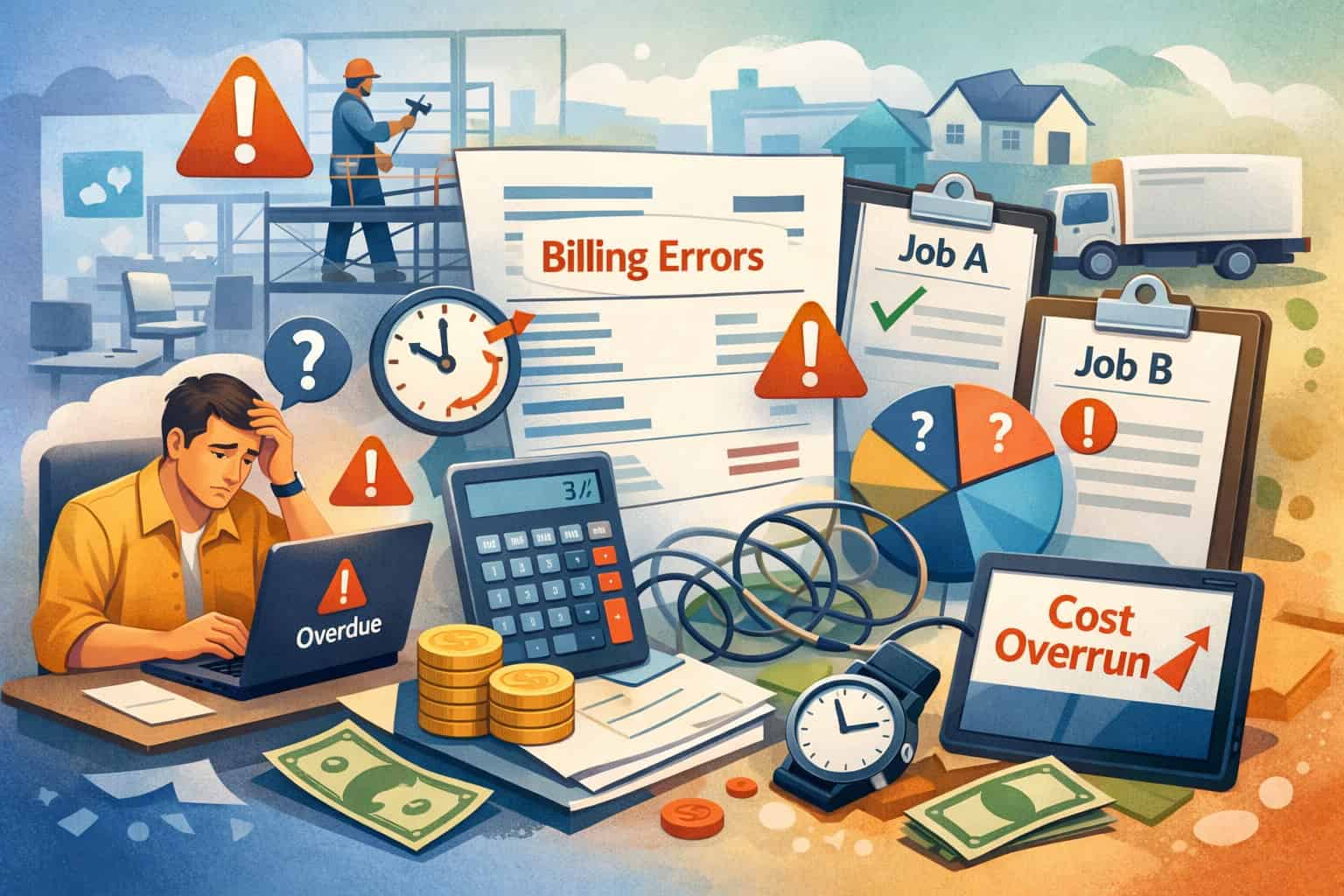
Multi-project billing failures rarely come from one big mistake. They come from small inconsistencies multiplied across jobs—a missing daily ticket here, a mis-coded cost there, an unsigned change order that becomes “urgent” at month-end.
When the billing team tries to assemble pay apps and invoices across multiple projects, the process becomes reactive: chase documentation, guess percent complete, fix coding mismatches, and rebuild timelines after the fact.
The most common breakdown points are predictable:
- Documentation is captured differently on each job (or not captured at all).
- Change orders live in text threads, notebooks, and memory instead of a controlled log.
- Cost codes and budgets don’t match how work is billed (SOV line items and cost codes drift apart).
- Approvals are scattered—field, PM, office, owner rep—without clear deadlines.
- Retainage is tracked inconsistently, causing short pays, waiver confusion, and painful closeouts.
If you feel like you’re always “catching up” on billing, that’s usually a sign you don’t have one consistent system. And without a consistent system, even good people get forced into shortcuts—especially when multiple jobs hit billing cutoffs at the same time.
Inconsistent documentation: the dispute machine you don’t see until it’s too late
On a single job, you can sometimes get away with informal documentation because everyone remembers what happened. Across multiple jobs, memories collide. One superintendent writes detailed daily reports; another sends a few photos; a third texts updates to a PM who forgets to forward them.
When an owner or GC reviewer asks, “What supports this line item?” Your billing staff should be able to answer with a predictable package: photos, delivery tickets, signed daily T&M tickets, RFI responses, approved change orders, inspection sign-offs, and updated SOV progress. Without that, you end up with “trust me” billing—and reviewers aren’t paid to trust you.
Disputes often start with simple questions:
- “What changed from last month?”
- “Where’s the signed ticket?”
- “Why is this percentage higher than the photos show?”
- “Why is there a labor charge on a fixed-price line?”
The fix isn’t more emails. It’s construction billing management for multiple jobs that standardizes what “backup” means and makes it easy to produce.
Pro Tip: If your team can’t assemble a backup in under 15 minutes per billed line item, your documentation system is not field-friendly enough.
Change order chaos: when pricing and approval timing don’t match reality
In the field, work moves fast. Change orders move slow. That mismatch creates “gray zone” work: performed today, priced later, approved later (maybe). When you’re managing multiple jobs, that gray zone grows because PMs prioritize production and push paperwork to the end of the month.
Common symptoms:
- Work starts in verbal direction, but the change order sits in draft for weeks.
- Pricing is inconsistent (labor rates, markup rules, equipment charges).
- The billing team doesn’t know whether to bill the change separately, roll it into the pay app, or hold it.
- Backup documentation (tickets, photos, emails) isn’t tied to a specific change order number.
When you’re choosing between “bill it now and risk rejection” or “hold it and risk forgetting,” the system is broken. Your process needs a controlled way to capture time-stamped tickets and interim authorization language (high-level) while approvals catch up.
Mismatched cost codes: why job costing and billing disagree
Job costing and billing aren’t the same thing—but they must reconcile. If your cost codes don’t map to how you bill (SOV lines, unit-price items, milestones), you end up with:
- Billing that doesn’t reflect actual costs incurred (margin drift surprises).
- WIP reporting that looks wrong even when work is progressing.
- Confusion about percent complete because the field tracks work differently than accounting.
A common multi-project issue: each PM sets up codes differently, or field teams enter costs to generic buckets (“misc,” “labor”) that don’t match the SOV. Then, during pay app assembly, the PM estimates percent complete from memory instead of measurable progress.
To streamline, you need standardized job setup: cost codes, budget mapping, SOV structure, and a consistent rule for how labor/material/equipment costs tie back to billed items.
Scattered approvals: everyone is waiting, and nobody owns the clock
Most billing delays are approval delays. Not because someone is lazy—because the approvals aren’t designed.
Across multiple jobs, approvals get scattered:
- Field approves quantities informally.
- PM approves percent complete.
- The office approves compliance (waivers, COIs, vendor docs).
- Owner rep approves pay app format, backup, and lien release language.
Without clear ownership, invoices bounce around. Even worse, the team waits until the last day to start approvals, so one missing attachment delays the entire submission past a cutoff date.
A streamlined invoice approval workflow creates a predictable chain:
- field capture
- PM review
- accounting validation
- submission package
- follow-up rhythm
Poor retainage tracking: the quiet cash flow killer
Retainage isn’t “lost,” but it’s also not cash you can use. Across multiple projects, retainage piles up and gets overlooked—especially when closeout requirements differ by job.
Retainage tracking breaks when:
- retainage percent changes via contract terms or change orders, but systems aren’t updated
- retainage withheld doesn’t match what’s shown on pay apps
- lien waivers and releases are collected inconsistently from subs
- closeout documentation isn’t organized, so retainage release gets delayed
To reduce pain, retainage must be tracked per job, per pay period, and reconciled at closeout—along with a clean waiver trail.
The core goal: one repeatable billing system across all jobs
The easiest way to reduce billing friction is not to “work harder.” It’s to build one repeatable system that works on every project—large or small, simple or complex. That’s what billing solutions for multi-project contractors should do: reduce variation.
A repeatable system means:
- Standard templates for SOV, pay apps, T&M tickets, change orders, and closeout packages
- Consistent job setup that aligns contract terms, cost codes, and billing structure
- Centralized documentation with clear naming conventions and ownership
- Clear deadlines and responsibilities—especially around cutoffs and approvals
This is the difference between “billing as an art” (dependent on one great PM) and efficient billing systems for general contractors (a process anyone can follow).
Standard templates: fewer decisions, fewer errors, faster assembly
Templates don’t replace judgment—they reduce avoidable choices. When each job uses a different SOV layout, different change order numbering, and different backup expectations, your billing team spends time translating instead of processing.
Standardize:
- SOV layout and line numbering approach
- Pay app checklist and submission cover sheet
- Change order form fields (scope, pricing basis, backup required, billing timing)
- T&M daily ticket format (labor, equipment, materials, signatures)
- Email scripts and follow-up cadence
When templates are consistent, you can train new PMs faster and cross-cover jobs without chaos.
Pro Tip: Standardize “what good looks like” in writing—then require it. Verbal standards don’t scale.
Consistent job setup: the foundation of clean multi-project billing
Every job should be set up the same way—before the first invoice. If job setup is inconsistent, every billing cycle becomes cleanup.
Minimum job setup standards:
- Contract type and billing model documented (progress billing, milestone, T&M, unit price)
- Retainage rate and retainage rules documented
- Billing cutoff date, submission date, and reviewer timeline captured
- SOV created (if progress billing) and approved baseline stored
- Cost codes mapped to budget and billing structure
- Change order log created with numbering rule
- Required compliance docs checklist started (high-level)
This is core to construction billing management for multiple jobs because it creates predictable inputs.
Centralized documentation: one “source of truth” per job
If documentation lives across phones, text threads, and random folders, you will lose time and money re-creating it.
Centralization means:
- One job folder structure for all billing documentation (photos, tickets, RFIs, COs)
- A standard naming convention so anyone can find support quickly
- Mobile field documentation expectations (what to capture, when, and where it gets stored)
Good documentation isn’t just “stored.” It’s linked to billable items—especially change orders and T&M.
Clear ownership and deadlines: make the calendar your ally
Streamlining billing for multi-project contractors is as much about calendar discipline as it is about forms.
Define owners for:
- Field capture: superintendent/foreman
- Quantities and progress: PM/field lead
- Coding and validation: accounting/project admin
- Submission packaging: billing lead
- Follow-ups and collections: AR owner (office)
Define deadlines for:
- daily ticket submission
- weekly documentation review
- internal pay app approval
- submission date
- follow-up checkpoints
- AR aging review
When the calendar is consistent across jobs, you reduce missed cutoffs and last-minute surprises.
Billing models explained (and how to streamline each)
Different contract types require different billing methods. But your internal process can still be consistent if you standardize job setup, documentation, and approvals. Below are common billing models and practical ways to streamline each—without turning your billing department into a custom shop for every project.
Progress billing and pay apps: SOV, percent complete, and AIA-style billing (high-level)
Progress billing is common because it aligns billing with work completed over time. It typically uses a schedule of values (SOV) and monthly pay applications (pay apps). Some jobs follow AIA-style billing (high-level) formats, where line items track original contract, change orders, work completed, materials stored, retainage, and balance to finish.
Streamlining progress billing comes down to controlling three variables:
- SOV structure (consistent, measurable line items)
- percent complete method (how you determine progress)
- backup documentation (photos, inspections, delivery tickets, approvals)
Key best practices:
- Keep SOV line items measurable: avoid vague buckets like “general work.”
- Tie SOV to cost codes so job costing and billing don’t drift.
- Use a consistent percent complete method (installed quantities, milestones, verified field measures).
- Require field photo sets and daily reports that align to SOV line items.
- Track retainage and approved change orders in the same log every month.
Progress billing fails when percent complete is guessed, change orders aren’t integrated, and backup isn’t consistent. Streamlining means turning those into repeatable steps.
Fixed-price milestone billing: clean triggers and acceptance criteria
Milestone billing is simpler on paper: invoice when you hit a milestone (e.g., “rough-in complete,” “roof dried-in,” “equipment installed”). It can be great for multi-project teams because it reduces monthly percent-complete debates—if milestones are written clearly and backed by acceptance proof.
Streamline milestone billing by defining:
- milestone triggers (what exactly counts as complete)
- required acceptance proof (inspection sign-off, owner walkthrough, photo set)
- change order billing rules (what changes milestones, what bills separately)
Practical steps:
- Use milestone checklists per phase.
- Capture photos and inspection documentation the same day the milestone is reached.
- Pre-build invoice packages so the invoice goes out within 24–48 hours of completion (internal target, not a guarantee).
Milestone billing breaks down when milestones are vague, partially complete work is billed early, or acceptance documentation is missing.
Time & materials billing: daily tickets and defensible backup
T&M invoicing is only as strong as your daily tickets. If you don’t have time-stamped, signed (or otherwise acknowledged) tickets with clear work descriptions and rates, T&M becomes a dispute magnet.
To streamline T&M:
- Use daily tickets with labor, equipment, and material sections.
- Require job site acknowledgment (signature or documented confirmation process).
- Attach supporting backup (photos, delivery tickets, equipment logs).
- Standardize rate sheets and markup rules (as allowed by contract terms).
- Separate “base scope” work from T&M extras to avoid mixing billing logic.
T&M billing works best when you treat documentation as part of production—not an office chore.
Pro Tip: Don’t wait until month-end to reconcile T&M. Reconcile tickets weekly so missing signatures and details can be fixed while memories are fresh.
Unit-price billing: quantity controls and measurement discipline
Unit-price billing is common when quantities fluctuate but unit rates are fixed (e.g., linear feet, square units, installed items). The risk is measurement disputes—especially when multiple jobs are using different measurement conventions.
Streamline unit-price billing with:
- Standard measurement rules (who measures, how, when, and documentation required)
- Quantity tracking logs tied to daily reports
- Photo evidence tied to stationing or location
- A clear approval chain for quantity confirmations
If your units are validated weekly and documented, month-end billing becomes a simple aggregation—not a negotiation.
Billing types by contract and the best-fit workflow

The contract type influences how you should structure approvals, backup, and submission packages. Use this table as a practical guide for choosing a default workflow per job type and then adjusting for project-specific requirements.
| Contract / Pricing Model | Common Billing Type | What reviewers focus on | Best-fit workflow for multi-project teams |
|---|---|---|---|
| Fixed Price (Lump Sum) | Progress billing via SOV or milestone billing | Percent complete logic, scope alignment, change orders, retainage | Build SOV tied to cost codes; weekly progress validation; monthly pay app package with photos/inspections; CO log updated before submission |
| T&M (Time & Materials) | T&M invoices with daily tickets | Signed tickets, rate compliance, detailed descriptions, backup docs | Daily ticket capture and acknowledgment; weekly ticket reconciliation; monthly invoice grouped by ticket; attach photos and delivery tickets |
| GMP (Guaranteed Maximum Price) | Pay apps with SOV + cost tracking + CO integration | Budget tracking, CO approvals, backup, stored materials, retainage | Strong cost code mapping; WIP review; CO pricing discipline; monthly pay app with cost-to-complete narrative (high-level) |
| Unit Price | Quantity-based invoices or pay apps | Measured quantities, measurement method, location proof | Weekly quantity log approval; photo/location proof; month-end aggregation; clear unit tracking by area/date |
A streamlined end-to-end workflow for construction billing management for multiple jobs
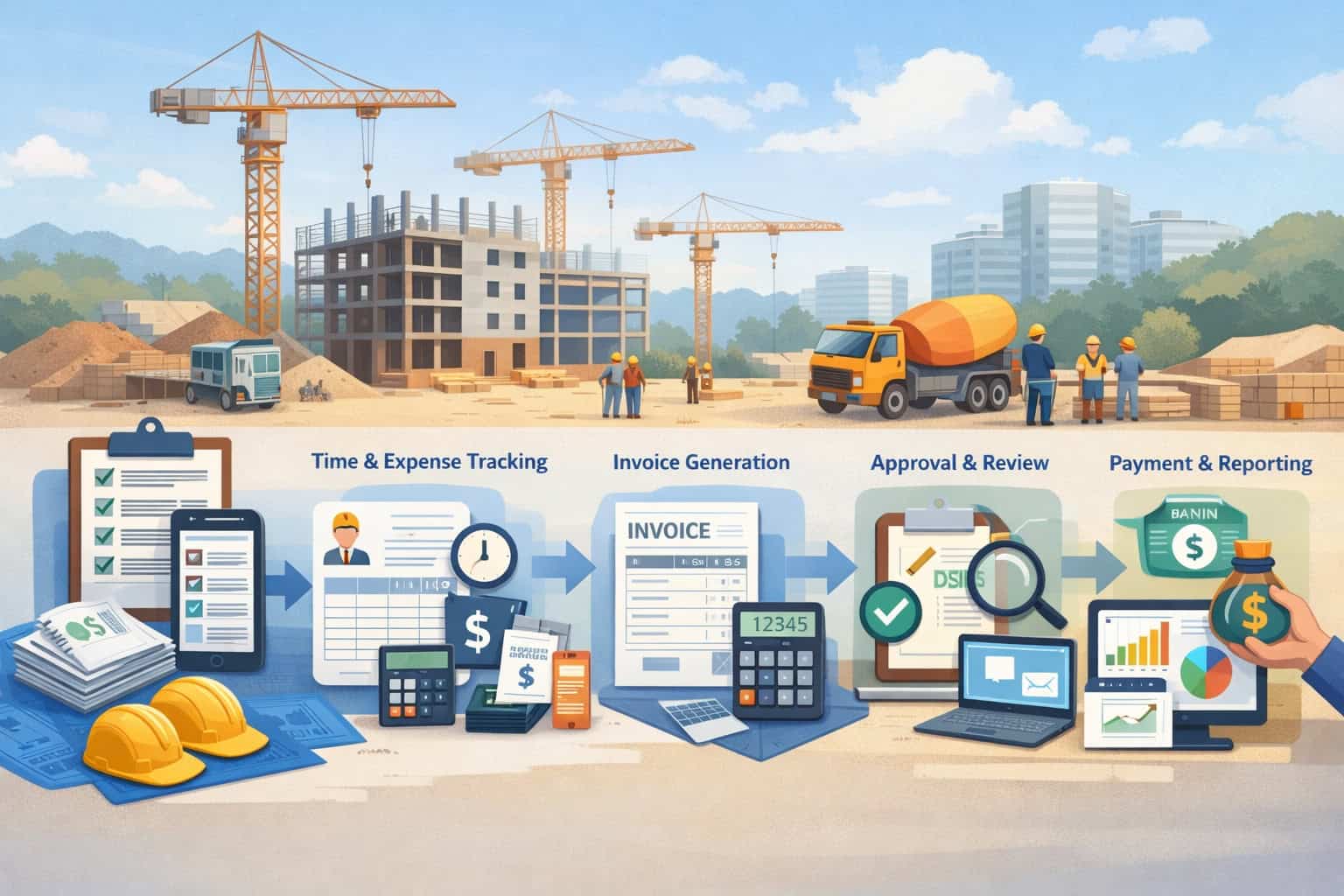
If you’re trying to manage billing across multiple construction projects, you need a workflow that starts at job setup and ends at closeout—without relying on heroics. The key is that every job follows the same stages, even if the billing model differs.
Below is a practical end-to-end workflow you can adopt and adapt. Think of it as your “standard operating procedure” for billing across multiple jobs.
Step 1: Job setup that prevents billing surprises later
Job setup is where you eliminate most future disputes. The goal is to capture contract terms and configure your billing structure so you don’t invent rules every month.
Job setup checklist (high-level):
- Confirm billing model and format requirements (pay apps, invoices, portals, cover sheets)
- Document billing cutoffs and submission dates
- Confirm retainage rate and how it’s applied (labor/materials/COs, as applicable)
- Build SOV (if used) and align it to cost codes and budget
- Set up change order numbering and approval rules
- Identify required backup expectations: photos, daily reports, tickets, inspection sign-offs
- Define the invoice approval workflow (field → PM → office → submission)
Your job setup should also define what “complete” means for each SOV or milestone line. If that definition lives only in someone’s head, billing will drift.
Step 2: Cost codes and budget mapping that match how you bill
Multi-project billing gets messy when costs and billing lines speak different languages. Your field team tracks work in cost codes; your billing team submits pay apps by SOV line items or milestones. Those must reconcile.
Practical mapping approach:
- Start with your cost code list (labor/material/equipment buckets per trade)
- Build SOV line items that correspond to logical cost groups (not necessarily one-to-one, but consistently mapped)
- Create a simple mapping reference: “SOV Line 03.0 ties to cost codes 3000/3100/3200”
- Require that purchase orders and subcontractor scopes reference the same codes where possible
This supports better job costing and cost codes discipline, improves WIP reporting reliability, and helps catch margin drift early.
Step 3: Field capture: photos, daily reports, tickets, and mobile documentation
Billing is only as clean as what the field captures. The best systems make documentation easy for the field—fast, consistent, and tied to billable work.
Minimum field capture standards:
- Daily report with scope completed, manpower, delays, and key events
- Photo set that visually supports billed progress (by area/phase)
- T&M tickets created the day work is performed (not later)
- Delivery tickets and equipment logs uploaded or filed centrally
- RFIs and responses saved in the job documentation folder
- Notes tied to specific change events (who requested, when, what changed)
Mobile field documentation matters because the field is where the evidence is created. If documentation waits until the office asks, it’s already late.
Pro Tip: Train crews to capture “billing photos,” not just “pretty progress photos.” Billing photos show quantities, context, and location.
Step 4: Change order workflow: pricing, approvals, and billing timing
Change orders create the biggest multi-job billing disruptions. Streamline by standardizing the workflow:
- Initiate: Log the change event immediately (even before the price is final).
- Capture backup: Photos, field notes, tickets, RFI references.
- Price consistently: Use agreed rate sheets or consistent estimating assumptions (high-level).
- Seek approval: Track status (draft/sent/approved/rejected/needs info).
- Decide billing timing: bill separately vs roll into pay app, based on contract and reviewer preferences.
- Reconcile: Ensure approved COs update SOV and budget mapping.
A practical reality: you won’t always get a signed change order before starting work. When that happens, protect yourself operationally with time-stamped tickets and “not-to-exceed” style interim authorization language (high-level), plus clear email confirmation of direction. Then push the formal CO through the same log and numbering system.
Step 5: Pay app or invoice assembly: build the “billing package,” not just the number
Your submission should be a package that answers reviewer questions before they ask.
For pay apps:
- Updated SOV showing current period and to-date values
- Change order summary (approved vs pending)
- Backup documentation folder or attachments (photos, tickets, deliveries, inspection sign-offs)
- Stored materials documentation (if applicable and allowed)
- Retainage calculation and reference
For invoices:
- Clear line descriptions tied to contract/milestone/unit/T&M tickets
- Supporting documentation grouped by line item or date range
- Any required cover sheet or portal formatting
This is where dispute prevention and backup documentation pays off.
Step 6: Internal review: your invoice approval workflow
A predictable internal review prevents embarrassing errors and avoids re-submission.
Internal review stages:
- Field validation: Are quantities/progress accurate? Any missing tickets?
- PM review: Does billing align to contract scope and CO status?
- Accounting validation: Coding, retainage math, compliance docs, lien waiver needs
- Final packaging: Confirm submission format and attachments
Keep reviews short and standardized. The goal is not perfection—it’s consistent accuracy and defensibility.
Step 7: Submission and follow-up: treat it like a process, not a confrontation
Once submitted, you want predictable follow-ups:
- Confirm receipt within 1–2 business days (internal goal)
- Ask if anything is missing before the reviewer starts processing
- Track review status and expected approval date
- Maintain a non-pushy follow-up rhythm
Use AR aging and submission dates to drive follow-ups—not emotion.
Step 8: Collections, AR aging, and escalation rules
Collections shouldn’t be “when we’re desperate.” It should be part of the system.
Track:
- invoice date, submission date, approval date, payment date
- AR aging by job
- reasons for delays (missing backup, pending CO, reviewer backlog, retainage)
Define escalation rules:
- When does a PM get involved?
- When do you send a formal “past due” notice?
- When do you pause work (only if contract allows and operationally appropriate)?
Step 9: Closeout billing: punch list, reconciliation, and retainage release
Closeout is where multi-project teams bleed time and money—because they’re busy starting new work.
Streamline closeout billing with:
- a punch list tracker tied to billing status
- a closeout document checklist (as required by contract)
- reconciliation of COs billed vs approved
- retainage tracking and release request package
- final lien waiver and releases workflow (high-level)
Closeout success depends on organization throughout the job—not heroics at the end.
Required backup documents that speed approvals
A reviewer approves what they can verify. Your job is to make verification easy. The table below outlines typical backup documentation by billing type, with a focus on faster approvals through clearer support (not guarantees, just practical outcomes).
| Billing Type | Common backup documents | What to attach by default | What to keep on file (ready if requested) |
|---|---|---|---|
| Progress billing / pay apps (SOV) | Progress photos, daily reports, inspection sign-offs, updated SOV, CO log, stored materials docs (if allowed) | Updated SOV + photo set + inspection notes + CO summary | Detailed quantity takeoffs, subcontractor progress confirmations, material invoices/receipts |
| Milestone billing | Milestone checklist, acceptance sign-off, inspection approval, photo set | Milestone checklist + acceptance proof + photos | Correspondence confirming milestone trigger, any punch list exceptions |
| T&M invoicing | Signed daily tickets, rate sheet reference, equipment logs, delivery tickets, photos | Ticket summary + signed tickets + photos | Detailed timecards, backup emails confirming direction, material receipts |
| Unit-price billing | Quantity logs, measurement sheets, location photos, inspector confirmations | Quantity summary + measurement log + location photos | Survey/measurement verification, daily reports with quantities |
| Change order billing | Approved CO form, backup pricing detail (if required), tickets/photos tied to CO | Approved CO + summary backup + photo/ticket references | Detailed estimate worksheets, correspondence and RFI references |
Tools and processes (without brand hype): what actually helps in 2026
Tools don’t fix broken processes—but the right tools make good processes easier to execute consistently across multiple jobs. In 2026, the biggest advantage isn’t “more features.” It’s tighter integration between field capture, documentation storage, job costing, and billing.
The practical choice is usually between:
- spreadsheets (flexible, low cost, high discipline required)
- accounting software (strong financial controls, depends on setup quality)
- construction management platforms (strong field capture and document flow, depends on adoption)
- a hybrid (common): field platform + accounting integration + standardized templates
The best billing solutions for multi-project contractors are the ones your team will actually use every day.
Spreadsheets vs software vs platforms: choosing based on complexity and discipline
Spreadsheets can work when:
- you have a small number of jobs
- one person owns billing end-to-end
- job structures are consistent
- documentation volume is manageable
They struggle when:
- multiple PMs run projects differently
- you need strong approval workflows
- you’re tracking retainage across many jobs
- you need clean WIP reporting
Accounting software helps when:
- you need reliable AR aging, retainage, and financial reporting
- job costing is required per job/cost code
- you need consistent invoice numbering and approvals
Construction management platforms help when:
- field documentation is the bottleneck
- you need mobile field documentation, standardized daily reports, and ticket tracking
- you want to tie photos and RFIs to specific cost codes or bill items
- you need better coordination with subcontractor invoicing workflow
A hybrid approach often wins: field capture and documentation in one place, with construction accounting integration for invoices, AR, retainage, and reporting.
Document storage and naming conventions that prevent “where is it?” chaos
A naming convention is a billing tool. If your team can’t find support quickly, you lose time and create disputes.
Example structure (per job):
- 01_Contract_and_Billing
- 02_SOV_PayApps
- 03_Change_Orders
- 04_Tickets_TandM
- 05_Photos_DailyReports
- 06_RFIs_Submittals
- 07_Compliance_Waivers
- 08_Closeout
Naming convention examples:
- JOB123_Photos_2026-03-14_AreaB_DuctInstall
- JOB123_TM_Ticket_2026-03-14_TK-017_Signed
- JOB123_CO-005_Pricing_Backup
- JOB123_PayApp_2026-03_Period12_Submitted
This supports dispute prevention because you can produce backup documentation quickly.
Approval workflows: build a pipeline, not a pile
Approval workflows should match how work happens:
- Field creates tickets and photos daily.
- PM validates quantities weekly.
- Billing assembles packages on a schedule.
- Accounting validates compliance and math.
- Submission is consistent and tracked.
In 2026, teams benefit from:
- role-based approvals (field vs PM vs office)
- time-stamped submissions
- dashboards that show what’s missing
If approvals are still happening by hallway conversations and last-minute emails, the workflow isn’t real.
Dashboards that matter: WIP, AR, retainage, and CO log
You don’t need complex analytics. You need visibility.
Minimum dashboard views for multi-project billing:
- WIP (work-in-progress) reporting snapshot by job (high-level)
- AR aging by job and by customer
- Retainage outstanding by job and aging
- Change order log status: approved vs pending vs not billed
- Billing cycle time metrics: submission → approval → payment
Dashboards help you manage by exceptions: which job is stuck and why.
Change order billing best practices in the real world
Change orders are where billing becomes political: scope debates, pricing debates, and timeline pressure. Your process needs to be firm enough to protect you and flexible enough to handle field constraints.
A practical change order system includes:
- a fast “change event log” before formal paperwork is complete
- consistent pricing rules and backup expectations
- clear billing timing decisions (separate vs rolled into pay app)
- documentation that can survive a reviewer who wasn’t there
“Don’t start without a signed change order” vs field reality
In theory, you shouldn’t start extra work without written authorization. In reality:
- jobs are schedule-driven
- safety issues require immediate action
- owner reps give verbal direction
- stopping work can create bigger costs
The operational goal is to reduce risk when you can’t get a signature immediately:
- Document direction in writing the same day (email summary).
- Use time-stamped tickets describing scope, location, and labor/equipment used.
- Apply not-to-exceed language where appropriate (high-level) so costs are bounded.
- Tie every ticket/photo set to a change event number in your log.
Then push the formal approval through the same workflow—no exceptions.
Time-stamped tickets and not-to-exceed language (high-level)
When formal approval is delayed:
- Create a ticket with date, location, description, and crew/equipment.
- Note that work is performed per direction pending formal change approval.
- If allowed, document a not-to-exceed cap or interim authorization (high-level).
- Get acknowledgment (signature, email confirmation, or documented acceptance process).
This doesn’t replace a signed change order, but it reduces ambiguity and supports later reconciliation.
Billing COs separately vs rolling into the pay app
Both can work. Choose based on reviewer preference and contract requirements.
Bill COs separately when:
- the owner wants COs isolated for easier review
- CO approval cycles differ from base pay apps
- you’re trying to avoid base scope disputes
Roll COs into the pay app when:
- the pay app format expects CO lines in the SOV
- the reviewer prefers one consolidated submission
- approved COs are already integrated into the SOV
Regardless of method:
- CO numbering must be consistent.
- Backup must be tied to CO numbers.
- Approved COs should update budgets and cost code mapping to protect margin tracking.
Pro Tip: If you have pending COs, include a one-page CO status summary with every pay app. It reduces “surprise billing” reactions.
Retainage and lien waiver management
Retainage affects cash flow because it delays a portion of earned revenue until later milestones or closeout. Across multiple jobs, retainage can become a significant “hidden AR” balance—especially if closeout is slow or waiver processes are inconsistent.
Streamlining retainage and waivers isn’t about paperwork for paperwork’s sake. It’s about ensuring you can actually collect what you’ve earned when the job is ready.
How retainage impacts cash flow across multiple projects
Retainage creates three cash flow pressures:
- It reduces monthly cash receipts even when work is strong.
- It increases your need for working capital to fund labor and materials.
- It concentrates collections risk into closeout—when teams are already moving on.
Operationally, you should:
- track retainage withheld each billing period per job
- reconcile retainage to pay app or invoice records
- forecast retainage release timing in your cash planning (high-level)
- build closeout readiness early so retainage doesn’t sit due to missing documents
Conditional vs unconditional waivers (high-level)
Lien waivers and releases are often required with billing submissions and payments. At a high level:
- Conditional waivers are typically tied to receiving payment.
- Unconditional waivers are typically used after payment is received.
Exact rules and wording vary. The process goal is consistency:
- Know what each project requires at submission vs at payment.
- Use a controlled workflow to collect waivers from subs and provide waivers upstream as required.
- Match waiver periods to billing periods so you don’t waive more than you intended.
Waiver collection workflow from subs: reduce delays upstream
Subs can delay your pay app approval if their waivers or compliance documents are missing. Your system should make this predictable.
Workflow:
- Require subs to submit invoices/pay apps with required waivers/releases and backup.
- Validate waiver period matches the pay period.
- Store waivers in the job’s centralized folder by month.
- Track missing items before your submission deadline (not after).
This is a key piece of efficient billing systems for general contractors because upstream compliance affects downstream cash.
Subcontractor invoicing workflow and coordination across multiple jobs
When subs bill late or inconsistently, your billing becomes unstable—especially on pay app-driven projects where you need to align subs’ billed progress with what you’re billing upstream.
The goal is not to “squeeze subs.” It’s to coordinate billing so you can submit clean packages and avoid disputes and double billing.
Aligning subcontractor pay apps with owner pay apps
Alignment means:
- subs submit by a defined cutoff date earlier than yours
- subs use a consistent format (SOV or unit tracking where applicable)
- subs provide backup documentation (photos, tickets, delivery receipts)
- your PM validates percent complete before it hits your pay app
Best practice:
- Set a subcontractor billing cutoff 5–7 calendar days before your own (adjust for project schedule).
- Conduct a quick progress walk or photo validation weekly so month-end review isn’t a fight.
Preventing double billing and scope overlap
Double billing happens when:
- subs bill the same work across multiple periods due to unclear percent complete
- change work is billed as base scope because it’s not separated
- multiple subs bill overlapping scope boundaries
Prevention controls:
- clear scope boundaries in subcontracts (high-level)
- consistent SOV structures that define what’s included
- change orders issued to subs promptly when scope changes
- PM review that compares current billed items to prior period billed items
This ties directly to dispute prevention and backup documentation because “we already paid this” is one of the fastest dispute triggers.
Compliance docs (high-level): keep a predictable checklist
Most projects require some combination of:
- COIs (insurance certificates)
- W-9s or equivalent tax forms (high-level)
- safety documentation
- licensing/qualification documentation (high-level)
- signed subcontract agreements and change orders
Your job folder should include a compliance tracker. Missing compliance items should be flagged before billing submission.
Pro Tip: If subs can’t get paid without complete compliance documents, they learn quickly. Make compliance part of the workflow, not an afterthought.
KPIs to track when you manage billing across multiple construction projects
KPIs shouldn’t be vanity metrics. They should point to bottlenecks and guide action. For multi-job billing, your KPIs should answer:
- How fast do we bill after work is completed?
- How long does approval take, and where does it get stuck?
- How much cash is tied up in AR and retainage?
- How much revenue is sitting in pending change orders?
- Are we losing margin due to billing and cost drift?
Billing cycle time: from cutoff to submission to approval
Track cycle time per job:
- billing cutoff date → internal package ready date
- ready date → submission date
- submission date → approval date
- approval date → payment date
If cycle time is long, you can diagnose whether the issue is field documentation, internal approvals, reviewer delays, or collections.
Approval time: identify the true bottleneck
Approval time is often where payments slow down. Track:
- “rejected/needs info” counts per job
- reasons for rejections (missing waivers, unclear backup, math issues, format issues)
- who owns the fix and how long fixes take
This helps improve your submission package quality.
AR aging by job: focus your effort where it matters
Accounts receivable aging (AR aging) should be tracked by:
- customer and job
- invoice/pay app number
- amount due
- days outstanding
- reason for delay
Use AR aging to prioritize follow-ups and escalate appropriately.
Change order turnaround time: stop revenue from getting stuck
Track:
- change event date → price issued date
- price issued date → approval date
- approval date → billed date
- billed date → paid date
This prevents CO revenue from becoming “invisible.”
Retainage outstanding and aging: prevent closeout cash from stalling
Track retainage:
- total withheld per job
- percent of contract retained
- age of retainage
- closeout readiness status (what’s missing)
Gross margin drift (high-level): catch issues early
Without getting into accounting advice, you can still monitor margin drift operationally:
- compare billed progress and costs incurred trends
- flag jobs where costs rise faster than billed progress
- review scope changes and coding issues
These insights are stronger when your cost codes and SOV mapping are consistent.
Common multi-project billing errors and how to prevent them
When you’re juggling multiple jobs, errors tend to repeat. Use the table below as a quick diagnostic guide for what’s going wrong and what to change in your process.
| Common error across multiple jobs | What it looks like | Root cause | Prevention steps |
|---|---|---|---|
| Inconsistent SOV structure | Each job’s SOV is formatted differently | No standard template and job setup rules | Standard SOV template, naming/numbering rules, PM training |
| Weak backup docs | Reviewer requests “more support” repeatedly | Field capture is inconsistent; no backup checklist | Field capture standards + submission checklist + centralized folder |
| Mixing T&M and progress billing without clarity | Labor shows up in wrong billing lines | Unclear scope boundaries and billing rules | Define billing basis per scope; separate T&M extras; tie tickets to COs |
| Missed cutoff dates | Pay app submitted late or incomplete | No calendar ownership and deadlines | Standard billing calendar + weekly review + accountability |
| Mismatched cost codes | Job costing doesn’t reconcile to billing | Codes not mapped to SOV/milestones | Mapping reference + standardized codes + validation step |
| Poor retainage tracking | Retainage disputes at closeout | Retainage not reconciled monthly | Retainage tracker by job + closeout checklist + monthly reconciliation |
| Change orders billed before approval (or never billed) | Rejections or lost CO revenue | CO log not maintained; unclear billing timing | CO log discipline + CO status summary + consistent billing rules |
| Sub waivers missing | Upstream pay app held | Waiver workflow not enforced | Sub cutoff date + waiver checklist + “no waiver, no processing” policy |
Weekly and monthly billing cadence checklist
Consistency is the backbone of streamlining billing for multi-project contractors. A cadence checklist turns billing into a repeatable routine rather than a scramble. Below is a practical example you can tailor to your team size.
| Cadence item | Frequency | Owner | What to review | Output |
|---|---|---|---|---|
| Field documentation review | Weekly | Superintendent / Foreman | Daily reports, key photos, tickets uploaded, missing signatures | “Missing docs” list and fixes by end of week |
| Progress validation | Weekly | PM | Percent complete by SOV/milestone, unit quantities, CO status | Updated progress notes and flagged risk items |
| Change order log update | Weekly | PM + Project Admin | New change events, pending approvals, pricing status | Updated CO log with next actions |
| Subcontractor invoice intake | Weekly (ramp up near cutoff) | Project Admin | Sub pay apps/invoices, waivers, compliance docs | “Ready for review” sub package list |
| Pre-billing meeting | Weekly during billing window | PM + Billing Lead | What will be billed, what’s missing, risks | Clear plan for submission package |
| Pay app / invoice assembly | Monthly (or per contract cycle) | Billing Lead | SOV updates, backup docs, retainage, CO integration | Draft submission package |
| Internal approval | Monthly | PM + Accounting | Math, coding, compliance, format | Approved final package |
| Submission + receipt confirmation | Monthly | Billing Lead | Submitted docs, portal uploads, confirmations | Logged submission date + confirmation |
| AR aging review | Weekly | AR / Controller | Past due items by job, reasons, next steps | Follow-up plan + escalation list |
| Closeout readiness review | Monthly | PM | Punch list, retainage release requirements | Closeout action plan |
Text-only templates and examples you can copy and adapt
The following templates are designed to be “field-ready” and easy to standardize. Customize them to match your contract requirements and internal roles.
Sample schedule of values (SOV) layout (text-only)
Use consistent line numbering so change orders can insert without chaos.
PROJECT: _______________________________
OWNER: _________________________________
PAY PERIOD ENDING: _____________________
PAY APP #: _____________________________
SOV VERSION: __________  DATE: ________

---------------------------------------------------------------------------------------------------------------
Line   Description                          Scheduled     Prior        This         Stored     Retainage   Total        Balance
No.                                          Value         Earned       Period       Materials               Earned       to Finish
---------------------------------------------------------------------------------------------------------------
01.0   Mobilization / General Conditions    __________     ________     ________     ________    ________    ________     ________
02.0   Site Preparation / Demo              __________     ________     ________     ________    ________    ________     ________
03.0   Foundations                          __________     ________     ________     ________    ________    ________     ________
04.0   Structural / Framing                 __________     ________     ________     ________    ________    ________     ________
05.0   MEP Rough-In                         __________     ________     ________     ________    ________    ________     ________
06.0   Exterior / Envelope                  __________     ________     ________     ________    ________    ________     ________
07.0   Interior Finishes                    __________     ________     ________     ________    ________    ________     ________
08.0   Equipment / Fixtures                 __________     ________     ________     ________    ________    ________     ________
09.0   Punch List / Closeout                __________     ________     ________     ________    ________    ________     ________

CHANGE ORDERS (Inserted Sequentially Without Renumbering Base Scope)

CO-001        __________     ________     ________     ________    ________    ________     ________
CO-002        __________     ________     ________     ________    ________    ________     ________
Use notes below the SOV to define how percent complete is measured for major lines (installed quantities, inspection milestones, area completion).
Sample pay app checklist (text-only)
PAY APP PACKAGE CHECKLIST (INTERNAL)

Job: _________________________
Period Ending: _______________
Pay App #: ___________________

------------------------------------------------------------
SOV / BILLING
------------------------------------------------------------

[ ] Updated SOV completed (prior, current, to-date, balance)
[ ] Change order log updated (approved vs pending)
[ ] Approved COs reflected in SOV and totals
[ ] Retainage calculated correctly and consistent with contract terms

------------------------------------------------------------
BACKUP DOCUMENTATION
------------------------------------------------------------

[ ] Progress photos uploaded and labeled (by area/phase)
[ ] Daily reports complete for period
[ ] Delivery tickets attached (key materials)
[ ] T&M tickets attached (if applicable) with acknowledgments
[ ] Inspection sign-offs / milestone acceptance included (as needed)
[ ] RFI responses referenced if scope impacted

------------------------------------------------------------
COMPLIANCE / WAIVERS (HIGH-LEVEL)
------------------------------------------------------------

[ ] Required lien waivers/releases prepared for submission
[ ] Sub waivers collected for subs included in this period (as required)
[ ] COIs/compliance docs current (as required)

------------------------------------------------------------
INTERNAL APPROVALS
------------------------------------------------------------

[ ] Field validation complete (Super / Foreman)
[ ] PM approval complete
[ ] Accounting validation complete (math / coding / compliance)
[ ] Submission format verified (portal/forms/cover sheet)

------------------------------------------------------------
SUBMISSION
------------------------------------------------------------

[ ] Submitted on: ____________________
[ ] Method / Portal: _________________
[ ] Receipt confirmation saved
[ ] Follow-up date scheduled
Sample T&M invoice line items (text-only)
Keep descriptions specific: location, reason, and reference.
T&M INVOICE – LINE ITEM EXAMPLES

Date        Ticket #   Description / Location                              Labor (hrs)   Equipment (hrs)   Materials    Notes
----------- ---------- ----------------------------------------------------- ------------- ----------------- ------------ -----------------------------
2026-03-14  TK-017     Extra demo at Area B per direction; haul-off         12.0          4.0 (skid)        $___         Photo set + dump receipt
2026-03-15  TK-018     Reroute conduit due to field conflict; Level 2       8.0           0.0               $___         RFI reference + photos
2026-03-16  TK-019     Weekend work to restore access; Main entry           16.0          6.0 (lift)        $___         Email direction + daily report
Attach:
- tickets
- photos
- delivery/dump receipts
- rate sheet reference (if required)
Sample email script for billing follow-ups (non-pushy)
Use a calm, professional tone focused on clearing obstacles.
Subject: Pay App / Invoice Status Check – [Project Name] – [Pay App # / Invoice #]
Hi [Name],

Hope your week is going well. I’m checking in on the status of our
[pay application / invoice] #[____] for [Project Name], submitted on [Date].

Could you please confirm:

1) That it was received and is currently in review, and
2) Whether anything additional is needed to complete approval
   (backup documents, waivers, formatting, clarification, etc.)?

If helpful, I can resend the full submission package or provide
any missing items right away.

Thank you for your time, and please let me know if there’s anything
we can do to help move it forward.

Best regards,
[Your Name]
[Title]
[Company Name]
[Phone]
[Email]
Pro Tip: Keep follow-ups “obstacle-focused.” You’re not asking for a favor—you’re removing friction.
30/60/90-day billing process improvement plan (practical and realistic)
You don’t need a full system overhaul to see improvement. A structured 30/60/90-day plan helps you standardize one layer at a time: templates, documentation, approvals, then dashboards and KPIs.
Days 1–30: Standardize templates and job setup
Primary objective: create consistency so every job starts with the same billing foundation.
Actions:
- Build your standard SOV template, pay app checklist, T&M ticket format, and CO log.
- Create a job setup checklist that includes retainage, billing cutoffs, submission format, and cost code mapping.
- Establish folder structure and naming convention per job.
- Assign roles: who owns field capture, PM validation, billing assembly, accounting validation, and AR follow-up.
Deliverables by day 30:
- One “billing playbook” document (internal)
- Templates in one shared location
- Every active job configured to the standard structure (even if imperfect)
Days 31–60: Implement documentation capture and approval workflow
Primary objective: make field capture routine and internal approvals predictable.
Actions:
- Train field teams on minimum documentation: daily reports, billing photo sets, ticket submission.
- Begin weekly documentation reviews per job (15–30 minutes).
- Implement invoice approval workflow with deadlines: field validation → PM approval → accounting validation.
- Start tracking rejection reasons and missing-document trends.
Deliverables by day 60:
- Weekly cadence meetings running consistently
- Fewer “missing ticket” issues at month-end
- A simple tracker for submission dates and approval status across all jobs
Days 61–90: Dashboards, KPI cadence, and continuous improvement
Primary objective: visibility and control across multiple jobs.
Actions:
- Create dashboard views for: WIP (high-level), AR aging by job, retainage outstanding, CO status.
- Establish KPI review cadence: weekly AR review, monthly billing cycle review.
- Implement “process defect” tracking: every rejection or delay gets categorized and used to improve templates/checklists.
- Strengthen closeout readiness reviews so retainage release doesn’t stall.
Deliverables by day 90:
- Consistent billing performance visibility across all jobs
- Clear top 3 bottlenecks and targeted fixes
- A sustainable routine that supports growth
FAQs
Q 1) What is the best billing method for contractors managing multiple projects?
Answer: There isn’t one universal “best” method. The best method is the one that matches your contract type and can be executed consistently across jobs. Progress billing with a well-structured SOV works well when reviewers expect pay apps.
Milestone billing can reduce percent-complete debates if milestones are clearly defined. T&M is workable when daily tickets are disciplined and acknowledged. Unit-price works when measurement rules are clear. The key is a repeatable internal system: consistent job setup, centralized documentation, and a defined approval workflow.
Q2) How do I set up a schedule of values (SOV)?
Answer: Start by breaking the scope into measurable line items that reflect how work will be installed and reviewed. Avoid overly vague categories. Align line items to your cost codes and budget mapping so job costing supports billing.
Define “completion criteria” for key lines (what proof or milestone indicates progress). Keep line numbering consistent for future change order additions. Then get the SOV accepted early so you’re not renegotiating the structure mid-project.
Q3) What’s the difference between an invoice and a pay application?
Answer: An invoice is generally a request for payment that may be itemized but isn’t necessarily tied to a formal SOV and percent-complete format.
A pay application is typically a structured progress billing document (often SOV-based) that shows prior and current earned amounts, change orders, retainage, and balance to finish. Pay apps often come with stricter formatting requirements and supporting documentation expectations.
Q4) How can I reduce billing disputes?
Answer: Disputes drop when billing is verifiable. Standardize backup documentation requirements by billing type, use consistent SOV and change order numbering, and capture field documentation daily (photos, tickets, daily reports).
Implement weekly reviews so missing items are corrected while details are fresh. Include a brief CO status summary with submissions to prevent surprise charges. Most disputes are documentation and expectation problems, not math problems.
Q5) How should I track retainage across jobs?
Answer: Track retainage per job and per billing period: retainage withheld this period, total retainage held to date, and retainage released. Reconcile retainage to each pay app/invoice so totals match what reviewers expect.
Maintain a closeout readiness checklist so retainage release requests are supported promptly when the job is complete. Retainage should be visible on your AR and job summary dashboards so it isn’t forgotten.
Q6) What documents speed up pay app approvals?
Answer: Documents that match reviewer expectations: updated SOV, clear progress photos labeled by area/phase, daily reports, inspection sign-offs or milestone acceptance, delivery tickets for key materials, and signed/acknowledged T&M tickets where applicable.
A clean change order log and approved CO backup also reduce questions. If the reviewer can verify your billing quickly, approvals typically move with fewer back-and-forth requests.
Q7) How do I handle time and materials (T&M) billing without constant pushback?
Answer: Treat daily tickets as required production output. Create tickets the day work is performed, include clear descriptions and locations, and get acknowledgments consistently. Attach photos and delivery receipts.
Use consistent rate sheets and markup rules aligned with contract terms. Reconcile tickets weekly so missing details and signatures don’t pile up at month-end. Also separate T&M extras from base scope work so there’s no confusion about what is being billed.
Q8) How do change orders affect billing and cash flow?
Answer: Change orders impact both revenue timing and approval timing. Pending COs can represent real work performed but not yet billable or collectible.
Streamline CO handling by logging change events immediately, capturing backup as work happens, pricing consistently, and tracking approvals in a live CO log. Decide early whether COs will be billed separately or integrated into pay apps, and keep the reviewer informed with CO status summaries.
Q9) Should I bill change orders separately or roll them into the pay app?
Answer: It depends on contract format and reviewer preference. Separate billing can simplify review when CO approvals lag or when reviewers want COs isolated.
Rolling into the pay app can work when the SOV format expects CO lines integrated. Either way, the critical controls are consistent CO numbering, clear backup tied to each CO, and updating budgets and SOV totals so billing and job costing reconcile.
Q10) How do I manage subcontractor billing and lien waivers?
Answer: Set a subcontractor billing cutoff earlier than your own submission deadline. Require subs to submit invoices/pay apps with the necessary waivers/releases (high-level) and backup documentation.
Validate waiver periods and store waivers centrally by job and month. Track missing compliance documents in a checklist so you can resolve issues before your submission. Coordinated sub billing reduces upstream holds and prevents scope overlap and double billing.
Q11) What should I review weekly to stay on top of multi-project billing?
Answer: Review field documentation completeness, percent complete validation by SOV/milestones, change order log status, subcontractor invoice intake, and AR aging by job. Weekly reviews prevent month-end scrambles and keep missing tickets and approvals from turning into billing delays.
Q12) How do I prevent mixing T&M and progress billing incorrectly?
Answer: Define billing basis per scope at job setup. If base scope is progress billed, keep T&M limited to clearly authorized extras and tie all T&M tickets to a change event/CO number. Avoid putting T&M labor into progress lines without clear documentation and agreement. Clear scope separation protects you from rejections and disputes.
Q13) What is WIP reporting and why does it matter for multi-project billing?
Answer: WIP (work-in-progress) reporting is a high-level view of how job progress, billings, and costs relate over time. It matters because it helps you see whether billing is keeping pace with work performed and whether costs are drifting beyond what has been billed.
Even without complex accounting, tracking WIP indicators helps you spot jobs that need attention before they become cash flow or margin problems.
Q14) How do I shorten my billing cycle time without burning out my team?
Answer: Shortening cycle time comes from reducing rework: standard templates, consistent job setup, daily field capture, and a predictable internal approval workflow. Weekly reviews prevent last-minute document hunts. A consistent follow-up cadence reduces “silent delays.” The goal is fewer surprises, not faster chaos.
Q15) What’s the most common cause of delayed payments across multiple jobs?
Answer: In many cases, it’s not the invoice itself—it’s missing or unclear backup documentation, unclear change order status, or approval bottlenecks. When reviewers can’t verify billed amounts quickly, they pause.
Your best leverage is a clean package: clear SOV/progress logic, complete backup, accurate retainage, and aligned waivers/releases (high-level).
Conclusion
Streamlining billing for multi-project contractors isn’t about chasing payments harder—it’s about building a repeatable system that prevents delays, reduces disputes, and keeps every job aligned with the same rules.
When job setup is consistent, documentation is centralized, change orders are controlled, cost codes map to billing, and approvals follow a predictable workflow, billing becomes a routine—not a fire drill.