By Scott Palmer February 27, 2026
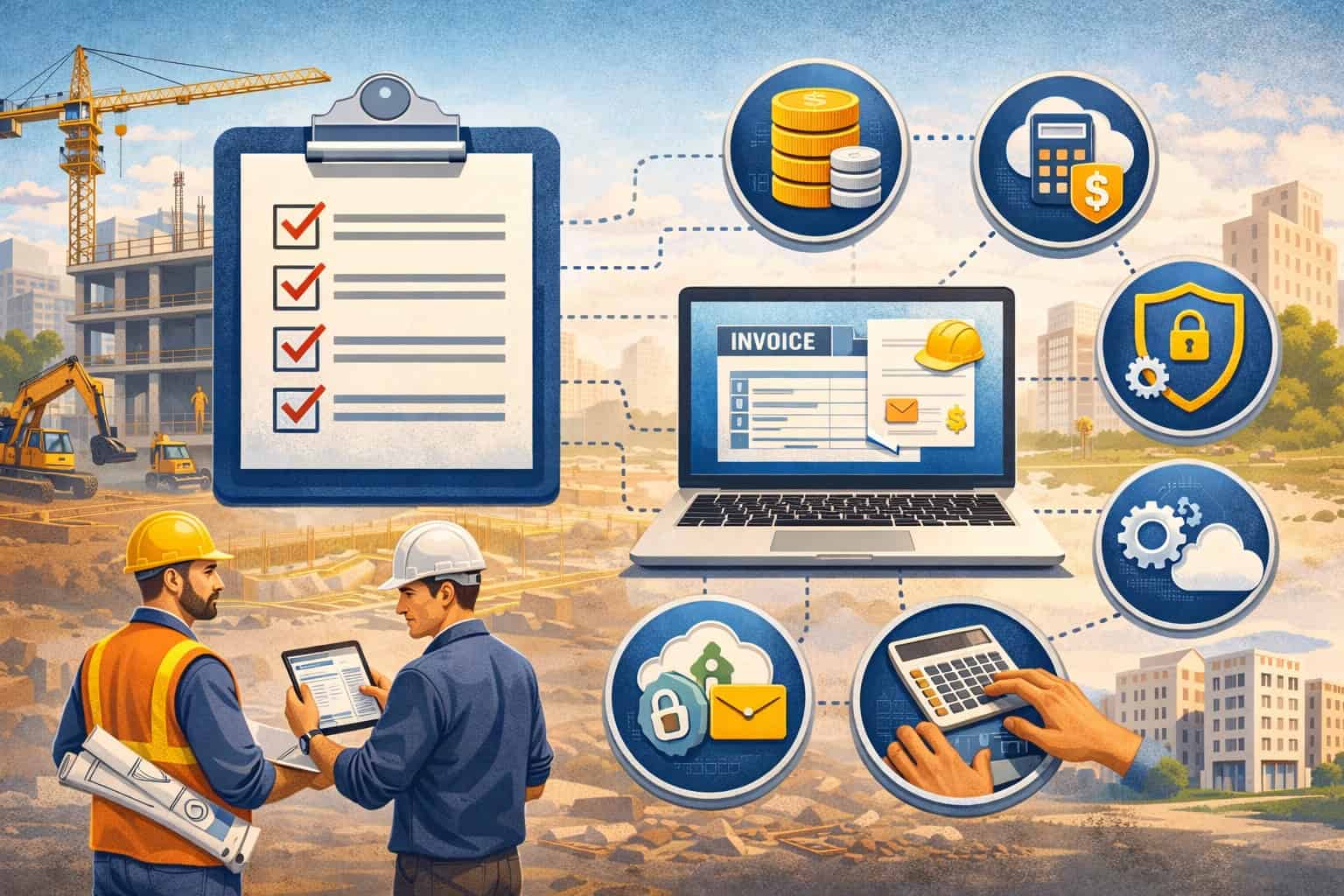
If you’re trying to connect construction billing and pay apps to accounting, job costing/WIP, time tracking, payroll, and project management, you’re not alone—and you’re right to be cautious.
Integrations in construction don’t fail because people “picked the wrong software.” They fail because cost codes don’t match, job names aren’t consistent, chart of accounts mapping is fuzzy, and nobody owns approvals or exception handling.
This construction billing software integration checklist is designed for general contractors, specialty contractors, construction accountants/bookkeepers, project managers, and office admins who want an implementation-ready approach.
The goal is simple: integrate construction billing software in a way that prevents duplicate data, protects reporting (WIP, margin, AR), and keeps pay apps and progress billing workflows clean from estimate to closeout.
You’ll get a practical construction billing software integration guide with a pre-integration audit, integration types and tradeoffs, a step-by-step workflow from planning to go-live, reconciliation controls, validation scenarios, a 30/60/90-day rollout plan, FAQs, and a printable master checklist.
Important: This is general operational guidance, not legal or tax advice. For compliance, tax, and contract-specific requirements, consult your qualified professional.
What “Construction Billing Software Integration” Means
Construction billing software integration means your billing tools (progress billing, pay applications, invoices, retainage, change orders) exchange data with your accounting system and other core systems—without someone retyping everything.
In practice, an integration makes sure that when a project is set up, billed, paid, or changed, the right information appears in the right place with the right coding.
This sounds straightforward until you add construction-specific realities like schedule of values (SOV) line items, retainage tracking, owner-required pay app formats, change order timing, partial payments, and job costing rules.
Unlike simple invoicing businesses, contractors need financial data to be accurate not just at the invoice level, but at the job/cost code level so WIP and margin don’t get distorted.
A good integration is not “everything syncs everywhere.” It’s a controlled set of data flows with clear sources of truth, permissions, audit trails, and reconciliation routines. Your goal is dependable reporting across:
- A/R and A/P syncing (what’s billed, what’s collected, what’s owed)
- Job costing and cost codes (cost-to-date and cost-to-complete accuracy)
- WIP (work-in-progress) reporting (earned revenue and over/under billing)
- Project management alignment (change order approvals, documents, and field-to-office visibility)
- Time tracking integration (labor costs hitting the right jobs and phases)
Pro Tip: If you can’t confidently answer, “Where is the source of truth for jobs, cost codes, and SOV lines?” you’re not ready to integrate. Integration amplifies whatever standards you already have—good or bad.
Why Integrations Fail in Construction (And How to Prevent It)

Most integration failures are predictable. They don’t start with the API. They start with mismatched naming and coding standards, unclear ownership, and inconsistent workflows. When you connect systems, you’re connecting your process assumptions. If the assumptions differ, you get duplicates, mispostings, and reporting you can’t trust.
The most common reasons integrations fail
- Mismatched cost codes: One system uses “03-300 Concrete” and another uses “03300” or “3.300.” Even if they look similar, the software treats them as different codes.
- Inconsistent job naming: “Oak Ridge Apts – Bldg 2” becomes “OakRidge-2” or “Oak Ridge Building II,” and suddenly you have duplicate projects.
- Duplicate customers/projects: Sales or PM teams create customers/jobs in multiple systems because they can’t find the record or don’t trust the sync.
- Wrong chart of accounts mapping: Revenue, retainage, deposits, and AR accounts don’t align—leading to misclassified income and broken WIP.
- Lack of ownership and approvals: Nobody owns the “truth” for master data, change orders, or exceptions. Errors become “someone else’s problem.”
The hidden failure is “silent drift.” That’s when the integration technically works, but over weeks and months, small mapping gaps and user workarounds compound until you don’t trust job costing, AR aging, or WIP.
Prevention is mostly governance
A successful construction accounting and billing integration checklist focuses on ownership and standards before technology:
- One set of cost codes, one job naming convention, one customer/job master record policy
- Clear rules for SOV structure and change order lifecycle
- Defined integration direction (one-way vs two-way) per data object
- Approval workflows, audit trails, and role-based access for critical actions
Pro Tip: Treat integration like a financial control project, not an IT project. Your reporting (WIP, margin, AR) is the asset you’re protecting.
The Core Systems You May Need to Connect (And What Each One Owns)
Construction billing rarely operates as a standalone tool. Most teams touch 4–7 systems across the project lifecycle. The integration design should reflect what each system is best at, and what data must be consistent everywhere.
1) Billing and pay apps
This is where pay applications, progress billing, SOV updates, retainage, and change orders are prepared. It’s also where project teams manage billing status and supporting documents.
Billing owns:
- Pay app periods and billing workflow status
- SOV line structures and percent complete per line (depending on your setup)
- Change order billability timing (pending vs approved vs billed)
2) Accounting (GL, AR/AP)
This is where the official books live. Even if PMs “live” in the billing tool, your accounting system typically owns:
- The general ledger and financial statements
- AR aging, cash receipts, AP bills, vendor payments
- Tax codes and financial period controls (if applicable)
3) Job costing and WIP reporting
Sometimes job costing is inside the accounting system, sometimes it’s separate. Either way, job costing and WIP rely on clean cost coding and consistent billing/cost data.
Job costing/WIP needs:
- Revenue and cost aligned by job, cost code, and phase
- Consistent treatment for retainage, deposits, and over/under billing
- Commitments (POs/subcontracts) for forecasting cost-to-complete
4) Time tracking and payroll (high-level)
Time tracking integration matters because labor is often your biggest cost category. Even if payroll processing is separate, time data must land correctly in job costing.
Time tracking/payroll touches:
- Employee time by job and cost code
- Labor burden rules (varies by company)
- Approvals and corrections audit trail
5) Project management (RFIs, submittals, daily reports)
PM systems don’t usually post accounting entries, but they influence billing accuracy. RFIs and change directives turn into change orders; daily reports support progress claims.
Project management should connect through:
- Job/project master data
- Change order status and approved values
- Document links and supporting backup
6) Document storage and e-signatures
Documents drive payment compliance. Integration at least needs consistent folder structures and links.
Documents should support:
- Pay app backup (photos, signed T&M tags, delivery tickets)
- Subcontractor pay apps and compliance docs (high-level)
- Lien waivers workflow (high-level) tied to payment events
Pro Tip: Don’t try to integrate everything on day one. Start with the financial spine: jobs + cost codes + SOV + invoices/pay apps + payments + retainage.
Integration Map: What Data Flows Where (Billing → Accounting → Job Costing → Payroll)
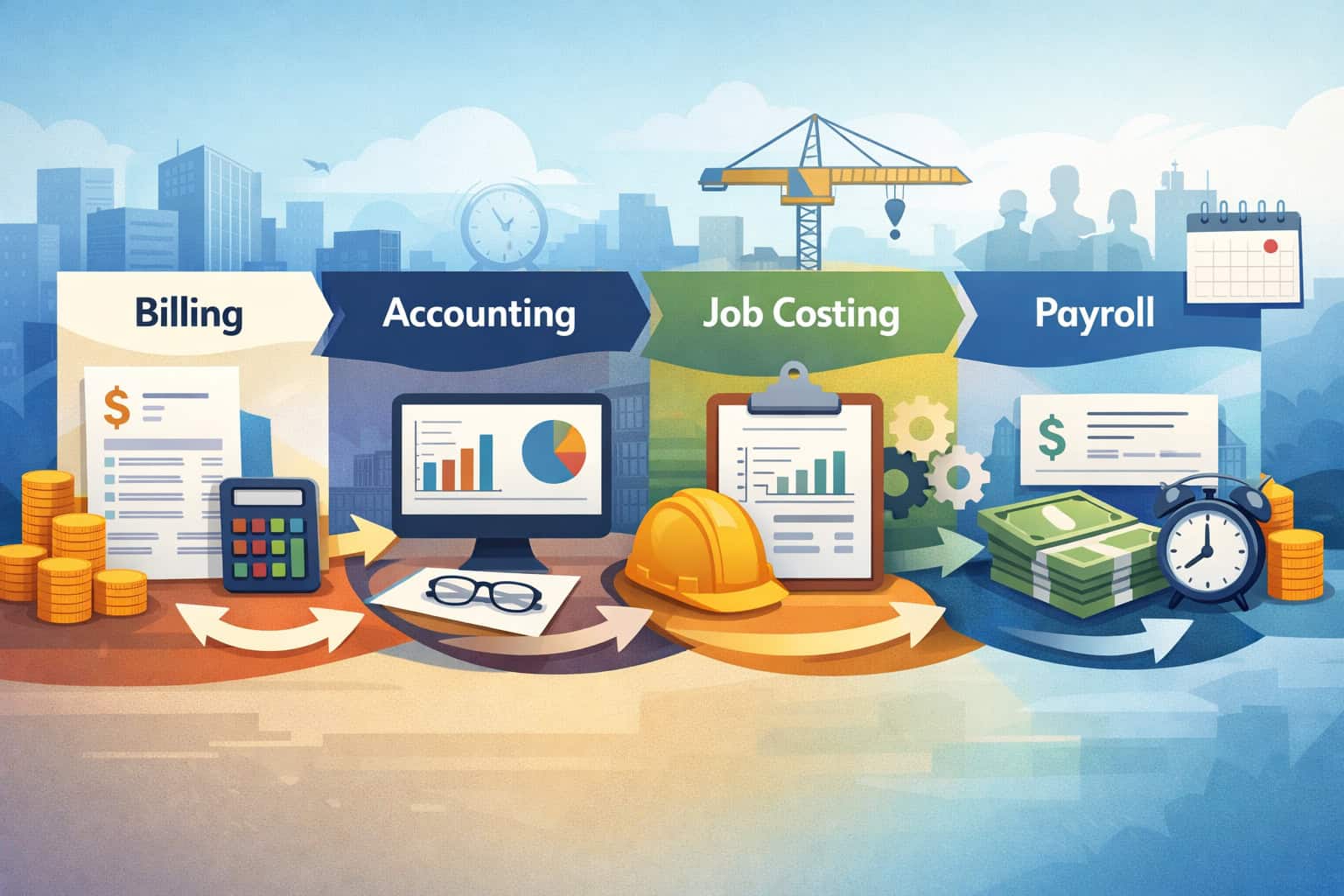
A clear integration map prevents scope creep and confusion. Use this as your baseline, then adjust based on your toolset and how your team operates.
Table 1: Integration map (what data flows where)
Use this map to confirm where each data object should be created, posted, and referenced across billing, accounting, job costing/WIP, and time tracking/payroll.
| Data Object / Transaction | Billing / Pay Apps | Accounting (GL, AR/AP) | Job Costing / WIP | Time Tracking / Payroll |
|---|---|---|---|---|
| Customer / Owner master | View / reference | Source of truth (common) | Reference | N/A |
| Job / Project master data | Create or reference | Create or reference | Must match | Reference |
| Cost codes / phases | Reference | Reference | Source of truth (recommended) | Reference |
| SOV structure | Source of truth | Reference (summary) | Reference (by line or by grouping) | N/A |
| Pay application | Created/managed | Posted as AR invoice/contract billing | Used for earned revenue / billing status | N/A |
| Invoice (non-pay app) | Created/managed | Posted as AR invoice | Revenue by job | N/A |
| Payments / cash receipts | Reference | Source of truth | Impacts AR and over/under billing | N/A |
| Retainage withheld/released | Track by pay app | Must post correctly | Critical for WIP accuracy | N/A |
| Change order sync | Status + values | Revenue/contract value updates | Forecasting + earned revenue | N/A |
| Purchase orders and commitments | Reference | Optional (depending on system) | Source of truth (recommended) | N/A |
| Subcontractor bills/pay apps | Reference | Posted to AP | Cost-to-date + commitments | N/A |
| Time entries | Reference | Optional journal import | Labor costs by job/code | Source of truth |
| Payroll labor distribution | N/A | Journal import (optional) | Feeds job costs | Source of truth |
Pre-Integration Audit Checklist (Do This Before You Connect Anything)

A pre-integration audit is the most valuable part of any checklist for integrating construction billing systems. It identifies the standards you must lock down before sync starts. Without it, you’ll build automation on top of inconsistent data and end up with duplicated jobs, misposted invoices, and unreliable WIP.
Audit 1: Clean and stabilize your chart of accounts
Your chart of accounts mapping is the backbone of financial sync. If your revenue, retainage, and AR accounts aren’t clearly defined, integrations will post to the wrong places or force users to make manual corrections.
Audit actions:
- Confirm revenue accounts and how they roll up to reporting
- Confirm AR accounts, including retainage receivable if you track it separately
- Confirm how deposits or prepayments are treated (if applicable)
- Confirm cost of sales categories that align with job cost reporting
- Document posting rules for each billing type (pay apps vs invoices)
Audit 2: Standardize cost codes and phases
If cost codes are inconsistent across teams or job types, job costing will break first. Integrations can’t guess which code you meant.
Audit actions:
- Define a standard cost code list and ownership for changes
- Decide whether phases (e.g., “Labor,” “Materials,” “Subcontract”) are part of the code or separate
- Lock formatting rules (dashes, leading zeros, naming conventions)
- Define inactive/retired code policy
- Confirm how codes map to SOV items when needed
Audit 3: Define SOV structure
Your SOV structure impacts pay app accuracy, revenue recognition, and how you analyze profitability by scope.
Audit actions:
- Decide if SOV is built from estimate, bid schedule, or PM-created lines
- Define whether SOV aligns to cost codes (1:1, many-to-one, or grouped)
- Decide how you handle allowances, alternates, and contingency
- Confirm rules for storing backup and approvals for SOV changes
Audit 4: Define the change order lifecycle
Change orders are where integration messes up fast. The key is status control: pending vs approved vs billed vs paid.
Audit actions:
- Define change events: RFI → change directive → change order request → approved change order
- Define who approves and when values become billable
- Define whether you sync pending COs or only approved COs
- Define how COs affect original contract value and SOV lines
Audit 5: Define retainage rules
Retainage tracking is a frequent failure point. Your integration must reflect how retainage is withheld, recorded, and released.
Audit actions:
- Define retainage percentage rules by contract and by vendor (if different)
- Define retainage posting accounts and whether you track retainage receivable separately
- Define when retainage is released and how it’s billed (separate line vs final pay app)
- Define reporting expectations: retainage aging, retainage by job, retainage release schedule
Audit 6: Confirm reporting needs (WIP, margin, AR)
Before you map fields, agree on the reports that must work on day one. If you can’t measure WIP and margin consistently, you won’t trust the integration.
Audit actions:
- List must-have WIP report outputs and the data required
- Define margin reporting by job and by cost code grouping
- Confirm AR aging expectations (including retainage)
- Decide how you’ll reconcile billing vs job cost vs GL
Pro Tip: Build a “data dictionary” during the audit. For each object (job, cost code, SOV line), define: owner, format, required fields, and where it’s created.
Integration Types and Tradeoffs (Native vs Middleware/API vs CSV)
In 2026, integrations typically fall into three categories: native integrations, middleware/API, and CSV import/export. None are inherently “best.” The right choice depends on how many systems you’re connecting, how clean your data is, and how much control you need over error handling and audit trails.
Native integrations
Native integrations are built by the software vendors or their official partners. They’re usually faster to implement and easier to support. They can also be limited in field mapping flexibility.
Good for:
- Standard workflows (pay apps → AR invoice, payments → billing status)
- Teams with limited internal technical resources
- Faster go-live with known constraints
Watch-outs:
- Limited control over field mapping and logic
- Sync schedules may be fixed
- Error messages may not be detailed enough for accounting-grade troubleshooting
Middleware / API integration
Middleware connects systems via APIs and can apply custom logic, transformations, and validation. This is powerful when you need specific cost code mapping, custom SOV grouping, or advanced change order sync rules.
Good for:
- Complex workflows with multiple systems
- Strong need for validation rules and exception workflows
- Situations where “standard integration” doesn’t match your business process
Watch-outs:
- Requires technical ownership and monitoring
- API changes can require maintenance
- You must design audit trails and user permissions carefully
CSV import/export
CSV is not “bad.” It’s a legitimate integration method when controlled properly—especially for smaller teams or when the goal is staged adoption. It can also be dangerous if people edit files manually without safeguards.
Good for:
- Early-stage rollout or pilot jobs
- Systems with limited integration options
- Periodic imports (e.g., job master setup, cost code lists)
Watch-outs:
- Risk of duplicates and overwrites
- Manual steps can cause timing issues
- Requires CSV import/export safeguards (templates, locked columns, validations)
One-way vs two-way sync
Two-way sync is tempting, but it increases risk. Decide direction by data object:
- One-way is safer for master data you don’t want edited in multiple places.
- Two-way can work for status updates or references, but requires strict governance.
Real-time vs scheduled sync
Real-time feels modern, but it can create noise and errors if approvals aren’t completed. Scheduled sync (hourly/daily) often fits construction rhythms better.
Pro Tip: Choose the simplest integration type that still supports reliable WIP and job costing. Complexity is not a feature if nobody can support it.
Step-by-Step Integration Workflow (Planning to Go-Live)
This section is the heart of the construction billing software integration checklist. It’s designed to be followed in order. If you skip steps, you’ll likely pay for it during cutover or month-end.
Step 1: Define scope and success criteria
Start by defining exactly what you are integrating and what “good” looks like. Integrations fail when the project becomes “make everything talk to everything.”
Scope definition:
- Which billing workflows are in scope (pay apps, invoices, both)
- Which jobs are in scope (pilot job vs all active jobs)
- Which modules are in scope (retainage, change orders, commitments)
- Which reports must be correct at go-live (WIP, AR aging, margin)
Success criteria examples:
- Pay apps post to AR with correct retainage and job/cost code distribution
- Change order approved → billed sync is traceable and consistent
- No duplicate customers/jobs created during pilot period
- Weekly reconciliation shows variances within defined thresholds
Pro Tip: Put reporting requirements in writing. If WIP is in scope, say so explicitly and define what “matches” means (by job, by period, by cost code grouping).
Step 2: Assign ownership (RACI) and approvals
Construction integrations need governance. Define who owns each object and who approves changes.
Typical ownership:
- Accounting owns: chart of accounts mapping, AR/AP posting rules, period controls
- Project accounting or cost accountant owns: cost code standards, WIP rules
- PM/ops owns: SOV structure and change order approvals
- Admin/data steward owns: customer/job/project master data integrity
- IT/consultant owns: integration setup, monitoring, logs, and access
Approvals to define:
- New job creation approval
- Cost code additions/changes approval
- SOV structure changes approval
- Change order approval steps and sync triggers
Step 3: Choose integration type and sync strategy
Now decide: native, middleware/API, CSV, or hybrid. This is where you align tradeoffs with your scope and internal capacity.
Questions to answer:
- Do we need transformations (e.g., cost code crosswalks)?
- Do we need two-way sync anywhere—or can we keep it one-way?
- How frequently should data sync (real-time vs scheduled)?
- Who monitors integration errors and resolves them?
Step 4: Establish “source of truth” for each data object
This is a foundational checklist item for integrating construction billing systems. If you don’t define sources of truth, users will create duplicates.
Common objects:
- Customer/Owner
- Job/Project
- Vendor/Subcontractor
- Cost codes/phases
- Items (if used for invoicing lines)
- SOV lines and change orders
- Payments and retainage balances
Your rule should be simple: each object is created in one place, synced to others, and edited only where authorized.
Step 5: Map master data first (customers, jobs, vendors)
Master data must be correct before transactional data flows. If the job master record is wrong, every invoice, cost, and payment will be wrong.
Master data mapping includes:
- Customer/job/project master data fields (names, IDs, addresses, terms)
- Job status (active, closed) and effective dates
- Job hierarchy (project → phase → cost code, if applicable)
- Vendor compliance status indicators (high-level references only)
Step 6: Map financial data (invoices/pay apps, payments, retainage, COs)
After master data, map transactions. This is where you define how billing events become accounting postings.
Transaction mapping includes:
- Pay applications to AR invoices (or contract billings)
- Retainage withheld and retained amounts by period
- Change order sync rules and timing
- Payment syncing from accounting to billing status (if desired)
- A/R adjustments, credits, and backcharges (if used)
Step 7: Set permissions, role-based access, and audit trails
Integrations can create new ways to break data. Lock down who can create or edit key objects and ensure audit trails exist.
Controls to set:
- Role-based access for job creation and edits
- Approval workflow for pay apps and change orders
- Audit trails for revisions, re-syncs, and overrides
- Segregation of duties (as practical) between billing prep and posting
Step 8: Test in a sandbox with real scenarios
Don’t test with fake data only. Use real job structures, cost codes, and typical billing patterns.
Sandbox test suite:
- A pay app with SOV and retainage
- A change order that increases contract value mid-period
- A partial payment and adjustment
- Retainage release on final billing
- Vendor bill tied to a commitment and a backcharge scenario (if relevant)
Step 9: Run parallel reporting before cutover
Parallel runs are how you protect WIP and AR. You run the new flow while still producing reports the old way, then compare.
Parallel run checklist:
- Compare AR aging totals and job-level balances
- Compare retainage balances by job
- Compare WIP outputs and margin by job
- Identify variances and document root causes
Step 10: Execute cutover plan and rollback plan
Cutover is not just flipping a switch. It’s a controlled sequence with checkpoints.
Cutover actions:
- Freeze master data changes at a defined time
- Complete final sync and confirm counts and totals
- Turn on production integration and monitor initial runs
- Validate first live pay app and posting end-to-end
- Have a rollback plan (disable sync, revert mappings, restore from backup if needed)
Step 11: Go-live monitoring and ongoing optimization
Most issues happen in the first 2–4 weeks. Monitoring and daily/weekly reconciliation routines are non-negotiable.
Go-live monitoring:
- Review integration error logs daily
- Track duplicates and mapping errors
- Hold a weekly integration review meeting for the first month
- Update SOPs based on real usage
Pro Tip: Build a “first 10 transactions” checklist. The first few pay apps/invoices and payments are where you catch 80% of your configuration issues.
Field Mapping Checklist (Jobs, Cost Codes, Items, Customers, Vendors)
Field mapping is where a clean process becomes a reliable integration. This is also where teams accidentally create duplicate records or break job costing by mapping to the wrong fields.
Table 2: Field mapping checklist
| Object | Field | Required? | Source of Truth | Destination(s) | Validation / Notes |
|---|---|---|---|---|---|
| Customer | Customer ID | Yes | Accounting or CRM | Billing, PM | Must be unique; prevent duplicates |
| Customer | Name | Yes | Same as above | All | Standard naming format; avoid abbreviations drift |
| Customer | Billing terms | Often | Accounting | Billing | Confirm terms sync doesn’t overwrite local overrides |
| Job/Project | Job ID | Yes | Defined source | Billing, Accounting, PM | Use a consistent ID scheme; no manual variants |
| Job/Project | Job name | Yes | Same as above | All | Lock naming convention; include location descriptors consistently |
| Job/Project | Status (active/closed) | Yes | Accounting or PM | All | Close jobs in all systems to prevent posting errors |
| Cost code | Code | Yes | Job costing owner | Billing, time tracking | Formatting must match exactly; use a crosswalk only if necessary |
| Cost code | Description | Yes | Same as above | All | Keep descriptions stable to avoid user confusion |
| Phase/category | Phase type | Sometimes | Job costing owner | Billing, payroll | Decide if phase is separate or embedded in code |
| Items | Item/service code | Optional | Billing | Accounting | Use only if needed; too many items can complicate mapping |
| Vendor/Sub | Vendor ID | Yes | Accounting | Billing, PM | Unique ID + compliance reference fields if used |
| Vendor/Sub | Insurance/compliance flag | High-level | PM/doc system | Accounting (reference) | Don’t store sensitive docs in accounting; store links |
| SOV | Line ID | Yes | Billing | Accounting (summary) | Define whether SOV lines map to cost codes or groups |
| SOV | Original value + revisions | Yes | Billing | WIP/job costing | Must track CO changes without overwriting history |
| Retainage | % and amounts | Yes | Billing & accounting rules | Accounting, WIP | Confirm posting accounts and reporting treatment |
| Change orders | Status + approved value | Yes | PM/billing approvals | Billing, accounting | Sync trigger should be approval, not draft |
Designing Source-of-Truth Rules That Prevent Duplicate Data
Defining source-of-truth rules is the most effective way to prevent duplicate customers and projects. Most duplicate issues come from unclear ownership and lack of controls for creation. Once duplicates exist, syncing often makes it worse by propagating them.
Build source-of-truth rules by object
For each object, decide:
- Where it is created
- Who can create it
- Where it may be edited
- Whether edits sync out or require manual review
- What happens when a record is inactive/closed
Example rules (common and practical):
- Customers: Created in accounting, synced to billing and PM. PMs can request new customers via a form.
- Jobs/projects: Created in PM or accounting (choose one), synced to billing and job costing. Only admins can create.
- Cost codes: Owned by job costing. New codes require approval; changes are rare and controlled.
- SOV lines: Owned by billing/pay app system. Accounting receives summarized postings, not line-level edits.
Enforce rules with permissions and workflows
Policies don’t work without system controls. Use role-based access, required fields, and approval workflows.
Controls to implement:
- Disable “create customer/job” for most users in secondary systems
- Require job setup fields (job ID, contract type, retainage rules, start date)
- Use automated duplicate checks (name similarity + ID uniqueness)
- Create an exception queue for “record not found” situations
Pro Tip: Give your team a “request new job/customer” process that’s faster than making a duplicate. Users create duplicates when the official path is slow or unclear.
Progress Billing Workflow Validation: SOV, Pay Apps, and WIP
If you do progress billing, your integration must handle SOV-based pay applications cleanly. This is where construction differs from typical invoicing businesses. A pay app isn’t just a bill—it’s a structured claim tied to a schedule and a time period, often including retainage, stored materials, and change order impacts.
What must be consistent across systems
Your billing system may manage SOV line progress, but accounting must receive the correct AR posting and retainage treatment. Job costing/WIP must interpret those postings correctly for revenue recognition and margin.
Validate these items end-to-end:
- SOV line values match the approved contract + approved change orders
- Pay app period aligns with accounting period controls (no backdated postings without approval)
- Retainage is withheld correctly on each line and in totals
- Stored materials, if used, are treated consistently (policy-defined)
- WIP reports reflect earned revenue and over/under billing accurately
Common failure points
- SOV lines mapped inconsistently to cost codes or revenue buckets
- Retainage posted to the wrong account or not tracked separately
- Change order values overwrite original contract values without history
- Pay app approvals are bypassed and drafts sync prematurely
Pro Tip: For WIP reliability, decide whether accounting gets SOV detail or a summarized posting by revenue category. Too much detail can create noise; too little can reduce traceability. Choose based on how you run WIP.
Change Order Sync: Approved → Billed → Paid (Without Losing the Audit Trail)
Change orders are one of the hardest integration areas because they mix scope, approvals, pricing, and timing. A strong change order sync depends on clear lifecycle statuses and “sync triggers.”
Define a lifecycle with sync triggers
A practical lifecycle:
- Potential change identified (no financial impact yet)
- Change request drafted (internal estimate)
- Submitted for approval (external)
- Approved change order (billable value locked)
- Change order billed (appears on pay app or invoice)
- Change order paid (cash received; retainage withheld/released as applicable)
Integration rules should specify:
- Which statuses sync to accounting and job costing
- When contract value updates occur (approved only is common)
- Whether pending COs affect forecasting but not billing
Protecting audit trails and approvals
Change orders must be traceable:
- Who created it, who approved it, when it became billable
- What changed in contract value and SOV
- How it flowed to a billed amount and then a payment
Controls to implement:
- Role-based access for change order approvals
- Required fields (reason, reference, signed doc link if applicable)
- Prevention of “edit after approval” without a revision record
- Exception workflow if an approved CO fails to sync
Pro Tip: If you allow change orders to sync while “pending,” you’ll eventually bill something that isn’t approved—or you’ll have to unwind postings. Sync approved values by default; keep pending in PM forecasting.
Retainage Tracking: Withheld, Held, and Released Without Reporting Breaks
Retainage is a classic integration trouble spot because it touches AR, revenue timing, and cash. Many systems can “show retainage,” but your integration must ensure retainage is posted and reported consistently across accounting and job costing/WIP.
Define retainage rules at the contract level
Retainage is not always uniform:
- Different retainage rates by project, phase, or subcontract
- Reduction of retainage at a certain completion percentage
- Separate retainage rules for subs vs owner billings
Your integration setup should support:
- Retainage % and rules stored on the job record (and vendor record if needed)
- Retainage withheld calculated consistently on pay apps and invoices
- Retainage receivable and payable accounts mapped correctly (if tracked separately)
- Retainage release billing handled predictably (final pay app or separate invoice)
Validate retainage release workflows
The integration should handle:
- Retainage withheld each billing period
- Retainage balances visible by job and aging
- Release events: partial releases, final releases
- Impact on WIP and AR after release
Common issues:
- Retainage withheld is tracked in billing but not posted properly to accounting
- Retainage release is treated as new revenue instead of collection of previously billed retainage
- Retainage is included in AR aging incorrectly, confusing collections
Pro Tip: Create a retainage reconciliation report that ties billing retainage totals to accounting balances by job. Run it weekly until stable.
A/R and A/P Syncing: Preventing Posting Conflicts and Timing Errors
A/R syncing is usually about invoices/pay apps, credit memos, and payments. A/P syncing includes vendor bills, subcontractor pay apps, and payments. The goal is to avoid duplication—especially when both systems can create similar transactions.
A/R syncing controls
Define:
- Where invoices/pay apps are created
- Where posting occurs (often accounting)
- How payments sync back (status only vs full payment detail)
Important rules:
- Do not allow users to “recreate” invoices in accounting if the billing system already creates them
- Use unique transaction IDs so accounting can detect duplicates
- Control date fields: invoice date, posting date, service period date
A/P syncing controls
For A/P, define how subcontractor invoices/pay apps are handled:
- Are subs submitting in a portal that syncs to AP bills?
- Are commitments (subcontracts) required before bills can be created?
- Are compliance docs referenced in the workflow (high-level), and where are they stored?
A practical approach:
- Subcontractor pay apps feed an AP bill draft
- Accounting reviews coding and approvals
- Payment execution occurs in accounting, with payment status synced back for visibility
Pro Tip: If A/P is in scope, define who owns coding (PM vs accounting). Split ownership causes delays and “temporary codes” that never get fixed.
Time Tracking Integration and Payroll (High-Level) Without Costing Chaos
Labor hits job costing fast. If time tracking doesn’t integrate cleanly, your labor costs will land in the wrong jobs or wrong cost codes, and your margin reporting will be misleading.
Define time entry standards before syncing
Minimum standards:
- Every time entry must include job + cost code (and phase if used)
- Define rules for non-job time (shop, training, travel) so it doesn’t get forced into job codes
- Approvals must occur before export/sync
- Corrections must preserve audit trails
Decide how payroll data reaches job costing
Common approaches:
- Time tracking system exports approved time to payroll, then payroll exports labor distribution to accounting/job costing
- Time tracking exports costed labor directly to job costing (if supported), with accounting receiving summary journals
Risks to avoid:
- Posting labor before approval (creates corrections and reversals)
- Using placeholder cost codes
- Mixing “hours” and “dollars” inconsistently across systems
Pro Tip: Start with time tracking integration in a second phase unless labor costing is already clean. Fix time entry discipline first; then integrate.
Reconciliation and Controls: Daily/Weekly Checks, Variance Thresholds, Exception Handling
An integration is only reliable if you control it. That means scheduled reconciliation checks, variance thresholds, and a clear workflow for exceptions. Without these, small errors accumulate until month-end becomes a crisis.
Daily reconciliation checks (15–30 minutes)
Focus on the high-impact items:
- New jobs/customers created: confirm they’re not duplicates
- Pay apps/invoices synced: confirm counts match between systems
- Integration errors: review the error queue and assign owners
- Retainage totals: spot-check newly posted transactions
Weekly reconciliation checks (60–120 minutes)
Weekly is where you catch drift:
- Compare AR aging totals (billing vs accounting) and list variances
- Compare retainage balances by job
- Compare billed-to-date by job and by period
- Review change order totals: approved vs billed vs posted
- Review job cost postings for unmapped/unknown cost codes
Variance thresholds (set them intentionally)
Don’t chase pennies, but don’t ignore patterns. Define:
- Thresholds by job size (percentage-based is often better than fixed amounts)
- Thresholds by transaction type (retainage variances should be tight)
- Escalation rules if thresholds are exceeded for multiple weeks
Exception handling workflow
A strong workflow includes:
- A centralized exception queue (system log, ticketing, or shared tracker)
- Categorization: mapping, permissions, missing master data, timing/period issues
- Owner assignment and due dates
- Root cause notes and prevention updates
Pro Tip: Track the top 5 recurring exceptions and eliminate them with mapping changes, SOP updates, or permission adjustments. Integration stability is often a small set of recurring causes.
Common End-to-End Workflows to Validate Before Go-Live
Before you go live, validate the workflows that represent your real world—not idealized demos. Each workflow should be tested from creation to posting to reporting.
Workflow 1: Progress billing with SOV (pay apps)
Validate:
- SOV created, updated, and locked appropriately
- Pay app generated with correct period values
- Retainage withheld correctly
- Posted to accounting as intended
- WIP reflects earned revenue and over/under billing
Workflow 2: Change order approved → billed → paid
Validate:
- Change order approval triggers sync
- Contract value and SOV update without losing history
- CO billed on pay app or invoice correctly
- Payment application and status update matches accounting
Workflow 3: Retainage withheld and later released
Validate:
- Retainage withheld accumulates properly
- Retainage balances match accounting
- Retainage release billed and posted correctly
- Reports show retainage reduction and collection correctly
Workflow 4: Partial payments and backcharges
Validate:
- Partial payment applied without breaking billing status
- Backcharge documented and applied correctly
- Audit trail exists for adjustments
- AR aging and job profitability remain accurate
Workflow 5: Subcontractor invoices tied to owner pay apps
Validate:
- Subcontractor pay app ties to commitment and cost codes
- Compliance docs referenced (high-level) in workflow
- AP bills created/posted correctly
- Cash flow visibility aligns with owner billing cycles
Pro Tip: For each workflow, define “expected results” in terms of postings and reports. Testing without expected results is just clicking around.
Common Integration Failures + Prevention Steps
This table is designed to be used during planning and testing. It helps teams anticipate what will break and put controls in place early.
Table 3: Common integration failures + prevention steps
| Failure Mode | What It Looks Like | Root Cause | Prevention Steps | Detection Method |
|---|---|---|---|---|
| Mismatched cost codes | Costs post to “uncategorized” or wrong phase | Different code formats across systems | Standardize codes; lock formatting; maintain crosswalk only if necessary | Weekly job cost exception report |
| Duplicate customers/jobs | Same project exists twice | Users create records in multiple systems | Source-of-truth rules; permission limits; duplicate checks | Daily new record review |
| Wrong chart of accounts mapping | Revenue/retainage hits wrong accounts | Mapping not designed for construction billing | Define posting rules; review with accounting; test postings | Trial balance review + AR tie-out |
| Pay apps sync before approval | Draft pay apps posted | No workflow gates | Require approvals; sync triggers only on “approved” status | Audit trail + posted transaction review |
| Retainage not tracked correctly | Retainage balances don’t match | Incorrect retainage accounts or logic | Define retainage rules; test withheld/release flows | Retainage reconciliation by job |
| Change order values overwrite history | Contract value shifts with no trail | Sync overwrites instead of versioning | Use revision IDs; lock approved records; preserve change history | CO log vs accounting comparison |
| Period/date mismatches | Transactions land in wrong month | Posting date rules unclear | Define date field rules; enforce period controls | Month-end cutoff checklist |
| CSV import corruption | Wrong columns or manual edits | No safeguards | Locked templates; validations; import logs; restricted access | Import audit + spot checks |
| API sync failures unnoticed | Missing transactions | No monitoring/alerts | Error logging, alerts, daily reviews | Integration dashboard review |
| Permission creep | Too many users can edit masters | Roles not defined | Role-based access; quarterly permission review | User access audit |
Go-Live Readiness Checklist (People, Process, Tech)
Go-live readiness is a three-legged stool. If any leg is weak, you’ll stumble: people (training + ownership), process (SOPs + approvals), and tech (mapping + monitoring).
Table 4: Go-live readiness checklist
| Area | Readiness Item | Owner | Status | Notes / Evidence |
|---|---|---|---|---|
| People | RACI roles documented | Ops/Accounting | Signed off by leadership | |
| People | Training completed for PMs | PM Lead | Attendance + competency check | |
| People | Training completed for accounting | Controller/Lead | Process walkthrough completed | |
| Process | Source-of-truth rules published | Admin/Data Steward | SOP posted + enforced | |
| Process | Pay app approval workflow active | Billing Lead | Tested in sandbox | |
| Process | Change order lifecycle defined | PM Lead | Trigger rules documented | |
| Process | Exception handling workflow defined | Integration Owner | Queue + escalation path | |
| Tech | Chart of accounts mapping validated | Accounting | Test postings approved | |
| Tech | Cost code mapping validated | Cost Accountant | No “unknown code” errors | |
| Tech | Sandbox test suite passed | Integration Owner | Evidence of scenarios tested | |
| Tech | Parallel reporting completed | Accounting | Variances resolved/accepted | |
| Tech | Data migration and cutover plan ready | Integration Owner | Cutover steps + rollback steps | |
| Tech | Monitoring and alerts configured | IT/Consultant | Daily log review assigned |
Data Migration and Cutover Plan (Including Rollback)
Integration projects often fail at cutover because teams treat data migration as a last-minute activity. Your data migration and cutover plan should be written, scheduled, and rehearsed.
What data should migrate (typical)
You don’t always migrate everything. Choose what’s needed for continuity and reporting.
Common migration sets:
- Customer/job/project master data
- Cost codes and phases
- SOV structures for active jobs
- Open AR (unpaid invoices/pay apps) and retainage balances
- Open commitments and AP bills (if in scope)
- Change order logs (at least approved values for active jobs)
Cutover sequencing (practical approach)
A typical sequence:
- Announce freeze window for master data changes
- Export current master data and reconcile to destination
- Import master data and validate counts + key fields
- Export open transactions (AR, retainage, commitments)
- Import and validate balances at summary and job levels
- Turn on production sync for new transactions only
- Run first live billing cycle with heightened monitoring
Rollback plan (don’t skip this)
Rollback isn’t about fear—it’s about control. A rollback plan may include:
- Ability to disable sync immediately
- Clear instructions for manual entry during downtime
- Restore points or backups for critical configuration
- Decision criteria for rollback (e.g., WIP variance exceeds threshold)
Pro Tip: Run a “cutover rehearsal” on a subset of data. If the rehearsal reveals missing required fields, you’ll fix it calmly—before the real go-live.
Approvals, Audit Trails, and Role-Based Access (Controls That Make Integrations Trustworthy)
When systems connect, it becomes easy for a small action to have a large financial impact. Controls aren’t red tape; they’re how you keep reporting reliable.
What needs approvals
At minimum:
- Pay app/invoice approval before posting
- Change order approval before contract value updates
- Job creation and job closeout approvals
- Cost code additions and major edits
- Manual overrides and re-sync operations
What needs audit trails
Audit trails should answer:
- Who changed what, when, and why
- What the prior value was
- Whether changes were approved
- Whether a sync occurred and what it affected
Critical audit trail areas:
- SOV revisions
- Change order revisions
- Retainage percentage changes
- Posting date changes
- Cost code mapping updates
Role-based access (construction reality)
Not every company can separate duties perfectly, but you can still reduce risk:
- Limit master data creation/editing to a small group
- Separate billing preparation from posting approvals where possible
- Require elevated permissions for configuration and mappings
- Review user permissions quarterly
Pro Tip: Use the principle: “Most users should do their job without being able to create or edit master data.” That’s how you prevent duplicates and miscodings.
CSV Import/Export Safeguards (When You’re Not Using Full API Sync)
CSV is often used for phased rollouts or systems that don’t have robust native integrations. CSV can be safe if you treat it like a controlled process.
Safeguards to implement
- Use standardized templates with locked columns
- Validate required fields before import
- Use unique IDs and prevent overwrite without explicit confirmation
- Keep import logs with file name, timestamp, and user
- Restrict who can import/export
- Store CSVs in a controlled location with versioning
Reconciliation after CSV imports
Every import should have checks:
- Record counts match
- Totals match where applicable (AR amounts, retainage totals)
- Spot-check a sample of records by job and cost code
- Confirm no duplicates were created
Pro Tip: Create a “CSV smoke test” checklist: open file, validate columns, validate formats, confirm IDs, run import, compare counts, run reconciliation.
30/60/90-Day Rollout Plan (Audit → Pilot → Go-Live → Optimize)
A staged rollout reduces risk and helps teams build confidence without disrupting operations. This plan assumes you start with a pilot job (or a small group of active jobs) and expand once reporting is stable.
Days 1–30: Audit + mapping + pilot job
In the first month, focus on standards and a controlled pilot.
Key activities:
- Complete pre-integration audit (COA, cost codes, SOV, CO lifecycle, retainage rules)
- Define sources of truth and role-based permissions
- Build your integration map and field mapping
- Configure sandbox and run initial test scenarios
- Select a pilot job with typical billing complexity (not your simplest, not your worst)
Deliverables:
- Documented standards + SOP drafts
- Sandbox test results with issue log
- Pilot job master data created and validated
Pro Tip: Choose a pilot job where your PM and accountant are engaged and responsive. Pilot success depends more on people than software.
Days 31–60: Testing + parallel run + SOPs
This month is about proving reporting integrity.
Key activities:
- Expand test scenarios using real billing patterns
- Run parallel reporting for at least one billing cycle
- Tune mappings, approvals, and exception handling
- Finalize SOPs for job setup, pay apps, change orders, and retainage
- Train core users (PMs, accounting, admins)
Deliverables:
- Parallel run variance report with resolutions
- Final go-live readiness checklist completed
- Training completion + workflow competency verification
Pro Tip: Don’t end parallel runs because you’re tired of them. End them when variances are explained and your team trusts the new workflow.
Days 61–90: Go-live + optimization + reporting cadence
Month three is controlled execution and stabilization.
Key activities:
- Execute cutover and first live billing cycle
- Perform daily monitoring for the first two weeks
- Run weekly reconciliation routines with defined thresholds
- Hold weekly integration review meetings (short, focused)
- Optimize based on recurring exceptions and user feedback
- Establish reporting cadence for WIP, AR, and margin reviews
Deliverables:
- Stable weekly reconciliation with manageable exceptions
- Updated SOPs based on real-world usage
- Documented “lessons learned” and next-phase backlog (e.g., time tracking integration)
Pro Tip: The best “optimization” after go-live is eliminating repetitive exceptions—often by tightening permissions and improving master data rules.
FAQs
Q1) What should be the “source of truth” in construction integrations?
Answer: The source of truth should be the system that’s best positioned to manage the object with control and accountability. Accounting often owns customers/vendors and the chart of accounts.
Job costing typically owns cost codes and cost structures. Billing/pay apps often own SOV structure and pay app workflow. The key is consistency: one place to create, controlled places to edit, and clear sync directions.
Q2) Do I need two-way sync or one-way sync?
Answer: Most contractors are safer with mostly one-way sync for master data and postings, with limited two-way sync for statuses (like payment status). Two-way sync can work, but it increases the risk of duplicates and conflicting edits.
If you choose two-way, you must enforce strict role-based access and define which fields are allowed to update from each system.
Q3) How do I map cost codes correctly?
Answer: Start by standardizing your cost code list and format. Then map codes using unique identifiers, not descriptions. If you must use a crosswalk, maintain it in one controlled place and document it.
During testing, validate cost code mapping by running job cost reports and confirming costs land in the correct buckets—especially labor, materials, and subs.
Q4) How do I prevent duplicate jobs and customers?
Answer: Prevent duplicates by defining sources of truth, restricting who can create records, and implementing a request process for new jobs/customers. Use unique IDs and enforce naming conventions. Add a daily review of newly created records during the first month after go-live to catch duplicates early.
Q5) What’s the biggest integration risk for contractors?
Answer: The biggest risk is losing trust in reporting—especially WIP and job margin—because coding, retainage treatment, or change order timing is inconsistent. The technical integration might “work,” but if the data isn’t governed, financial reports become unreliable.
Q6) How do retainage and change orders sync?
Answer: Retainage should sync as part of billing transactions, posting to the correct accounts and remaining traceable by job.
Change orders should sync based on approval triggers, updating contract values and SOV structures without overwriting history. Both require clear lifecycle rules and tests for withheld, billed, released, and paid states.
Q7) How do I test an integration before going live?
Answer: Use a sandbox and test real scenarios: progress billing with SOV and retainage, an approved change order billed mid-cycle, partial payments, and retainage release. Define expected results (postings and reports) before you test. Run parallel reporting and compare AR, retainage, and WIP outputs until variances are understood and resolved.
Q8) Can I integrate billing with payroll/time tracking?
Answer: Yes, but treat it as a controlled phase. Time tracking must enforce job and cost code selection, approvals, and audit trails. Decide whether payroll exports labor distribution to job costing and accounting, and validate that labor costs land correctly by job/cost code before expanding scope.
Q9) How long does integration take?
Answer: It depends on data readiness and scope. A controlled pilot with clean standards can move faster than a broad rollout with messy master data.
Plan for time to complete the pre-integration audit, mapping, sandbox testing, and at least one parallel reporting cycle. Your timeline is more influenced by decision-making and data cleanup than by software setup.
Q10) What should I reconcile weekly after go-live?
Answer: Reconcile AR totals and job-level balances, retainage balances by job, billed-to-date, and change order totals (approved vs billed vs posted). Also review exception logs for unmapped cost codes, missing master data, and posting date issues. Track recurring exceptions and eliminate root causes.
Q11) Should SOV lines map directly to cost codes?
Answer: Not always. Some companies map SOV lines to cost codes 1:1 for tight job costing alignment. Others group SOV lines to broader revenue categories and keep detailed cost tracking separate. Choose the approach that best supports your WIP and reporting needs, and validate it with real job examples.
Q12) What’s the best way to handle partial payments?
Answer: Partial payments should be applied in the accounting system (source of truth for cash) and then synced back as status updates to the billing system when possible. Your integration should handle underpayments, short pays, and adjustments without duplicating invoices or breaking AR aging.
Q13) How do I handle subcontractor pay apps and compliance docs?
Answer: Keep compliance documents in your document management system and link them to vendor records or pay app workflows at a high level. Subcontractor pay apps can feed AP bill drafts, but approvals and coding rules must be clear. Make sure commitments and cost codes are established before subs submit pay apps to avoid miscoding.
Q14) Do I need middleware/API integration to be successful?
Answer: Not necessarily. Many teams succeed with native integrations if their standards are clean and the workflow matches the integration’s capabilities. Middleware/API is valuable when you need custom transformations, more robust exception handling, or multiple systems connected with complex logic.
Q15) What’s the best way to manage exceptions after go-live?
Answer: Use a centralized exception queue, assign owners, categorize root causes, and set resolution timelines. Review exceptions daily at first, then weekly once stable. Update mappings, permissions, and SOPs to prevent repeats. The goal is to reduce exception volume over time, not normalize it.
Conclusion
Integrating billing and pay apps with accounting, job costing, and project systems can absolutely improve accuracy and reduce double-entry—but only if you treat integration as a process and control project. Clean cost codes, consistent job naming, a clear chart of accounts mapping, and defined ownership matter more than integration “features.”
Use this construction billing software integration checklist to keep your implementation grounded: audit first, map master data, test real workflows, run parallel reporting, and go live with monitoring and reconciliation routines. If you do those steps well, your integration won’t just “sync data”—it will protect the reporting your business relies on.