By Scott Palmer February 27, 2026
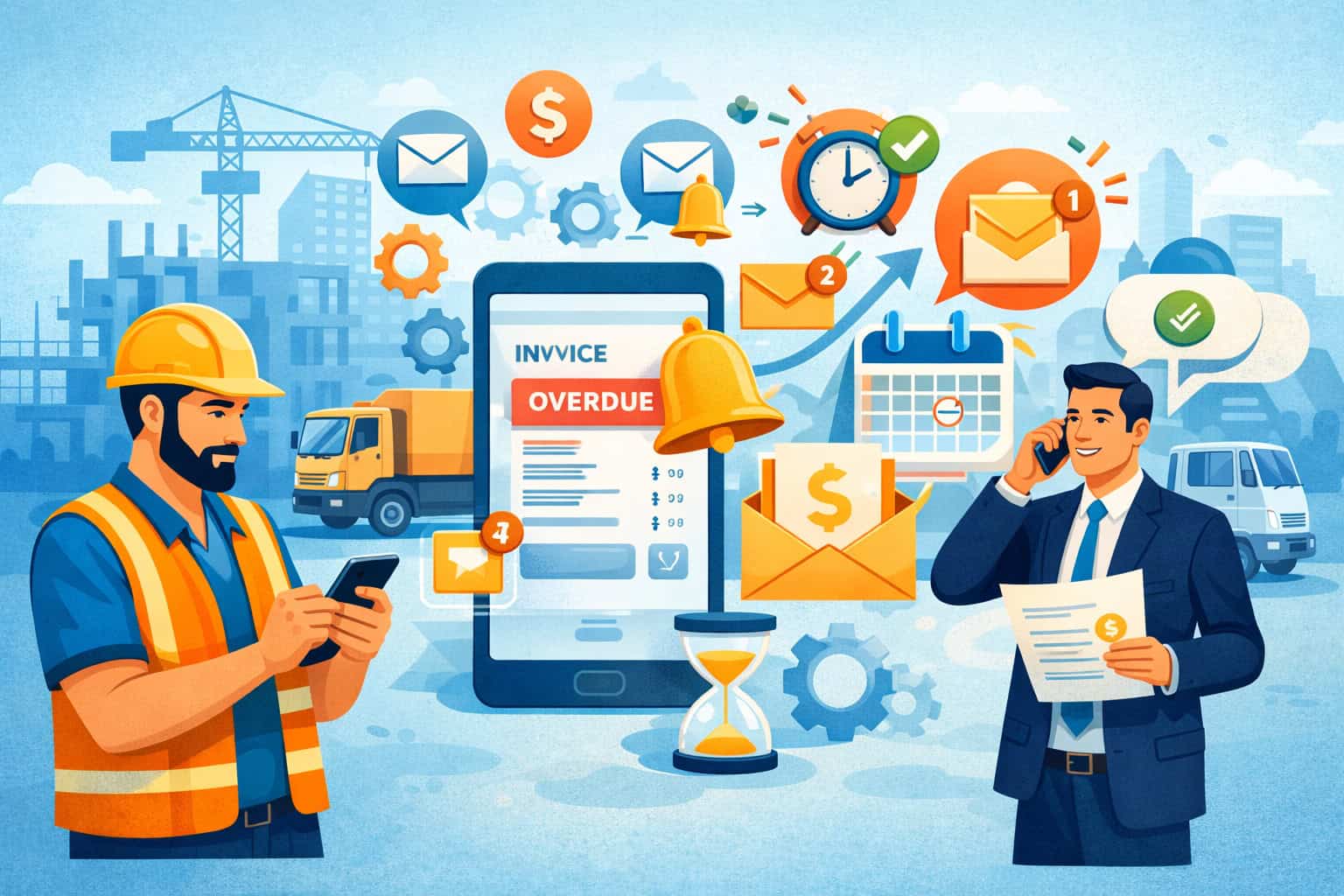
If you’re running a contracting business, you already know the real work doesn’t end when the crew cleans up and the punch list is done. The next challenge is getting invoices approved, processed, and paid—without turning every week into awkward collection calls.
This 2026 AR automation playbook is a practical, relationship-first system for automated payment reminders for contractors. The goal isn’t to nag customers. The goal is to make it easy for busy people—AP, project managers, and owners—to do the right thing on time, with fewer back-and-forth emails and fewer “we’re missing something” surprises.
You’ll learn how to set up automated payment reminders for contractors step-by-step, using a contractor-friendly invoice follow-up workflow that fits real construction billing: progress billing / pay applications (pay apps), T&M tickets, service work, and retainage tracking.
You’ll also get ready-to-use reminder email templates for contractors, short SMS payment reminders (when appropriate), and a 30/60/90-day rollout plan you can actually implement.
Important note: This is general operational guidance, not legal, accounting, or tax advice. Confirm how your contracts, payment terms, notices, lien waiver timing, and late fee language should be handled for your specific jobs.
Why automated reminders work in construction (and why they feel “less pushy” than manual follow-up)

In construction, non-payment is often less about unwillingness and more about process friction. Customers aren’t sitting around ignoring you; they’re buried in competing priorities, approvals, and paperwork.
Here’s what an experienced construction accounts receivable (AR) desk sees every day:
- Busy AP departments juggling dozens (sometimes hundreds) of vendor invoices.
- Approval chains where a PM needs to sign off before AP can schedule payment.
- Pay app cycles and cutoffs that don’t align with when you emailed your invoice.
- Missing docs (tickets, photos, timesheets, change orders) that stall approval.
- PO number or job number issues that cause invoices to be rejected or lost.
- Retainage that gets forgotten because it’s “not due yet” and no one calendars it.
Automated reminders help because they create a predictable, professional rhythm. Instead of random follow-ups when you “get a minute,” your customer gets consistent, well-timed messages tied to payment terms (Net 15/30/45) and job billing cycles.
The best reminder systems don’t spam. They do three things:
- Reduce “inbox archaeology.” The invoice and backup are always attached or linked.
- Route the message to the right people. AP gets payment details; PM gets backup.
- Trigger the next step automatically. If it’s unpaid at 7 days past due, the sequence escalates with a statement of account and internal tasks.
Pro Tip: The biggest mindset shift is this: reminders are not collections—they’re project communication. You’re confirming process steps (“approved,” “scheduled,” “needs backup”) the same way you confirm inspections or deliveries.
Before you automate: fix your invoice “inputs” so your reminders don’t chase the wrong problem
Automation amplifies whatever you feed it. If invoices are inconsistent, missing key fields, or don’t match the customer’s billing rules, reminders won’t get you paid—they’ll just generate more replies like “Please resubmit” or “We can’t approve without backup.”
Start by tightening your invoice inputs. This is where contractors win or lose AR.
Your invoice must be approval-ready (not just “sent”)
An approval-ready invoice is one that a PM and AP can approve without hunting for context. At a minimum, standardize:
- Customer name + bill-to location exactly as they require.
- Job name + job number (and cost code if required).
- PO number (and any release number) in the exact field they track.
- Invoice number that’s unique and easy to reference.
- Billing period and/or cut-off dates (especially for pay apps and T&M).
- Description that maps to scope and matches contract language.
If your customer uses a customer portal for invoice payments or a vendor system, match their workflow. “We emailed it” doesn’t help if they require upload to a portal.
Pro Tip: If you do recurring work for the same customer, keep a one-page “billing profile” for them: required fields, who approves, cutoffs, backup expectations, and where invoices must be submitted.
Attach the backup documents that keep jobs moving
Construction billing often fails because you billed correctly—but didn’t prove it in the way the customer needs to approve it.
Build a standard “invoice package” checklist based on the billing type:
- T&M tickets: signed daily/weekly tickets, labor breakdown, materials, equipment.
- Service work: dispatch details, completion notes, before/after photos when relevant.
- Change orders: signed change order, email approval, or documented authorization.
- Progress billing / pay apps: pay app form, schedule of values (SOV), updated SOV, and any required compliance docs.
- Documentation for approvals: photos, delivery receipts, inspection sign-offs, timecards, or field reports as needed.
If the customer expects specific formats, use them. Automation won’t overcome a missing signed ticket.
Align change orders and retainage so your AR aging stays honest
Two things wreck an invoice aging report (AR aging) in construction:
- Billing ahead of approved changes.
- Forgetting retainage timing and release requirements.
For change orders, create a rule: no billing without authorization status defined. That doesn’t mean you can’t bill; it means you label it correctly (e.g., “Pending approval”) and you don’t treat it like a normal collectible invoice in your escalation sequence.
For retainage tracking, separate it from normal aging and track:
- retainage withheld by invoice/pay app
- retainage balance by job
- retainage release conditions (substantial completion, closeout docs, warranty)
- expected release date or trigger event
Pro Tip: Put retainage into its own workflow and cadence. A standard “past due” sequence often doesn’t fit retainage, because it’s usually contract-controlled and tied to closeout.
Reminder strategy by billing type: match the system to how construction actually gets approved

A single reminder sequence for every invoice is a common mistake. Construction billing isn’t one-size-fits-all. To build a construction payment reminder system setup that works, you’ll segment by billing type and match the cadence to approval realities.
Progress billing and pay apps: respect cutoffs, approval windows, and SOV structure
Progress billing / pay applications live and die by timing. Most customers have:
- a monthly cutoff date (e.g., submit by the 20th)
- a review/approval window (PM review, then AP processing)
- a scheduled payment run (weekly or monthly)
If you send reminders without respecting those windows, you’ll annoy people who literally can’t push it faster.
Instead, build a pay app cadence around process milestones:
- Submission confirmation (same day)
- “Any questions before the cutoff?” (a few business days after submission)
- “Approval status check” (mid-window)
- “Scheduled payment confirmation” (once approved)
- Past-due sequence only after the payment date passes
Also, keep your SOV consistent. If your schedule of values (SOV) line items shift every month, approvals slow down. A stable SOV helps the PM approve faster because they can compare apples to apples.
Pro Tip: Put the pay app cutoff date and the billing period in the email subject line. It reduces confusion and speeds review.
T&M tickets: win with a weekly rhythm and predictable packaging
T&M invoicing typically gets paid faster when it feels routine. The challenge is that T&M requires proof—and the proof lives in tickets.
A strong weekly rhythm looks like this:
- Collect and verify tickets weekly (don’t wait until month end)
- Bundle tickets by week and job
- Send the invoice package the same day every week
- Include a simple summary: hours, rate, materials, total
Your automated reminders should be short and reference the package:
- “Invoice + signed tickets attached”
- “Reply if any ticket is missing; we’ll resend the same day”
- “If approved, please confirm scheduled pay date”
This reduces disputes and keeps the dispute management workflow clean. If a ticket is missing, you want the customer to tell you early—not after it’s 30 days old.
Service work: shorten the cycle and make payment frictionless
Service contractors can often reduce days-to-cash by making payment easy immediately after completion.
The keys are:
- fast invoicing (same day or next day)
- clear completion notes and photos when relevant
- ACH and card payment links included in the message
- optional autopay / recurring billing for repeat service customers
For service invoices, a pre-due reminder can be very light because the cycle is short. The goal is to get it into the customer’s payment run quickly, not to build a long escalation ladder.
Pro Tip: Service reminders work best when the first message includes a payment link and a “pay now” option, but still includes a “pay by check” instruction for customers who require it.
Retainage: separate cadence, closeout focus, and documentation-first follow-up
Retainage isn’t “late” the way a normal invoice is late. It’s often released when the job hits closeout milestones.
Retainage follow-up should focus on:
- what closeout docs are needed
- lien waiver timing (high-level) and any required releases
- punch list status
- warranty docs
- final inspections or certificate of completion
- confirmation of retainage release schedule
Your cadence might be:
- pre-closeout reminder to confirm requirements
- closeout submission confirmation
- follow-up every 14–30 days depending on contract terms and customer process
- escalation to PM/owner if closeout items are done but retainage is stalled
Retainage reminders should feel like project wrap-up, not collections.
The ideal reminder sequence: non-pushy, professional, and built for real AR aging

A good invoice follow-up workflow is like a good project schedule: clear, predictable, and respectful. You’re not trying to “pressure” someone; you’re keeping the process moving.
Below is a proven sequence that works for most standard invoices (not retainage), and can be adjusted for Net 15/30/45.
Step 1: Pre-due reminder (relationship-first and low-friction)
Send this 2–5 business days before the due date. The tone should assume good intent:
- confirm they received it
- confirm it’s in process
- offer to resend backup
- include payment options
This message prevents “we never got it” and catches missing PO/backup early.
Step 2: Due-date reminder (simple nudge with payment link)
On the due date, keep it short. The customer doesn’t need a lecture; they need:
- invoice details
- due date
- payment link/instructions
- the right contacts (AP + PM as appropriate)
Step 3: 7 days past due (firming up, but still helpful)
At 7 days past due, you’re still in “normal business” territory. The goal is to get a clear answer:
- Is it approved?
- Is it scheduled?
- Is something missing?
- Is there a dispute?
This is also a good place to add an internal task: “If no response within 48 hours, call AP.”
Step 4: 14 days past due + statement of account (reduce excuses)
At 14 days past due, include a statement of account (or a summary of open invoices) so the customer can see everything in one place. This helps when:
- multiple invoices exist across multiple projects
- AP needs one consolidated view for payment scheduling
- someone new stepped into the role
Step 5: Escalation to PM/owner (process escalation, not emotional escalation)
This is where construction differs from many industries. The PM often controls approvals and can unblock issues fast. Your escalation should:
- stay respectful
- reference prior messages
- state the request clearly: “Can you confirm approval status or what’s needed?”
Step 6: Final notice (still professional, documentation-forward)
A final notice doesn’t need threats. It needs clarity:
- what’s overdue
- what you need to close it
- a call request
- next internal step (e.g., “We’ll pause further billing submissions until this is resolved” if that matches your business policy)
Pro Tip: Your “final notice” should be written so you’d feel comfortable reading it out loud to the customer’s PM in a job meeting.
How to set up automated payment reminders for contractors (step-by-step system you can implement)
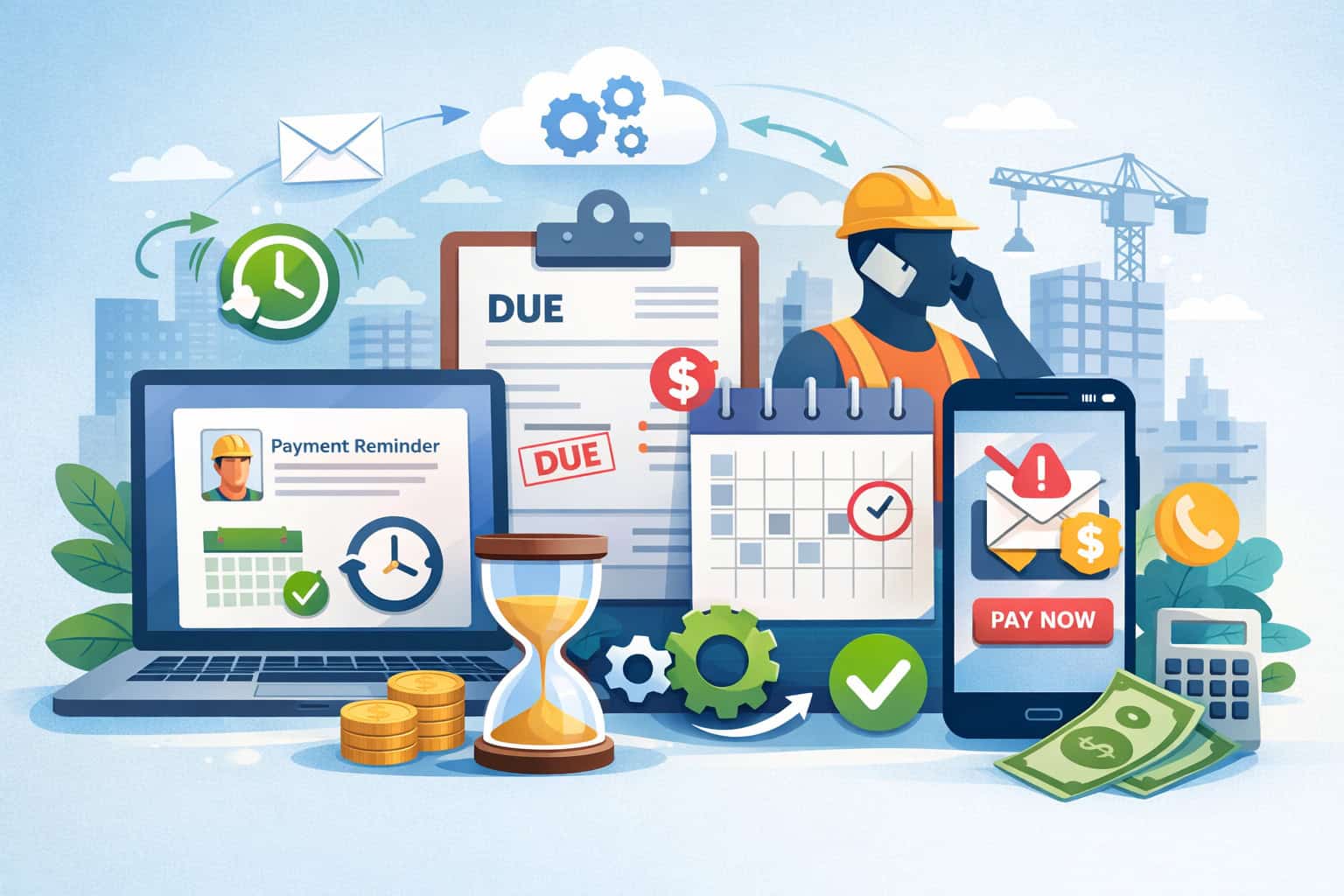
This is the contractor invoice reminder automation guide section—the build-out. The goal is to create a system that runs weekly with minimal manual effort, while still flagging exceptions that require a human.
Step 1: Choose tools and decide where automation lives
You typically have three “homes” for AR workflows:
- Accounting system (where invoices are posted, AR aging lives, statements are produced)
- Invoicing/payment platform (where invoices are delivered and payment links/portals live)
- CRM/helpdesk/field service system (where customer communications and tasks live)
Keep it generic: you don’t need the “perfect” software. You need clear ownership.
A practical approach:
- Invoices and AR aging live in accounting.
- Payment links / customer portal for invoice payments live in invoicing/payment layer.
- Tasks, escalations, and contact roles live in CRM or internal task system.
What matters is that invoice status is accurate: sent, viewed (if available), due, past due, disputed, paid.
Pro Tip: If you can only automate in one place, automate from the system that has the most reliable invoice status and due date data.
Step 2: Define payment terms and your “policy basics” (without surprising customers)
Before any reminders go out, standardize your payment terms and high-level policies:
- Net terms: Net 15/30/45 depending on job type and customer
- accepted payment methods: ACH, card, check, wire (if used)
- where to send checks (if applicable)
- whether you have a late fees policy (high-level) and when it applies
- what documentation is included by default
Then align this with what’s written in contracts, proposals, and work orders. If your reminders say “due upon receipt” but the contract says Net 30, you create conflict and delay.
Avoid surprise fees. If late fees are part of your terms, disclose them early (proposal/contract), restate them politely on the invoice, and only reference them in reminders when appropriate—and consistently.
Step 3: Map customer roles (AP, PM, owner) so reminders reach the right inbox
Construction billing often fails because reminders go to the person who can’t act.
Build a contact map for each customer:
- AP contact: processes invoices and schedules payments
- PM contact: approves work and signs off on pay apps/tickets
- Owner/controller contact: escalation contact when needed
- optional: jobsite admin or coordinator (sometimes receives invoices)
Rules that work:
- Pre-due and due-date reminders: AP + PM (or AP only if PM hates billing emails)
- Ticket-heavy invoices: PM included earlier
- Escalation: PM + owner/controller
- Service invoices: AP or owner (whoever actually pays)
Pro Tip: Store role-based contact groups (“AP,” “PM,” “Escalation”) so you don’t manually pick recipients every time.
Step 4: Build templates with variables so messages are fast but still personal
Your templates should feel like a real person wrote them. Use variables for:
- customer name
- invoice number
- job name/job number
- amount
- due date
- payment link
- attachment link (backup docs)
- statement link (for escalations)
Example variable line:
- “Invoice {{invoice_number}} for {{job_name}} in the amount of {{amount}} is due {{due_date}}.”
Also include a “human line” that doesn’t feel robotic:
- “If anything needs to be adjusted for your approval process, tell me what’s missing and we’ll resend today.”
Step 5: Set triggers by invoice status and aging
This is the core of automating accounts receivable for contractors. Build triggers like:
- When invoice is marked “Sent” → start sequence
- 3 business days before due date → send pre-due reminder
- On due date at a consistent time → send due-date reminder
- 7 days past due → send follow-up + create internal task
- 14 days past due → send statement + escalate recipients
- 21+ days past due (optional) → final notice + manager review
Add stop conditions:
- If invoice status becomes “Paid” → stop sequence immediately
- If status becomes “Disputed” → stop standard sequence and start dispute workflow
- If invoice is “Rejected / needs resubmission” → stop and trigger resubmission email + internal task
Pro Tip: Don’t automate yourself into embarrassment. Every reminder should stop instantly when payment is recorded.
Step 6: Add payment options: links, portal, and clear instructions
Reminders should make paying easy, not just remind someone to pay.
Include:
- ACH and card payment links (if you accept them)
- link to customer portal for invoice payments (if used)
- check mailing address and “payable to” info
- wire instructions only if you truly use them (and secure how you share them)
For many contractors, simply adding a payment link to every invoice email reduces friction—especially for service work and smaller balances.
If your customers require a check or ACH through their own system, payment links may not be used. Still include them when appropriate, and at minimum include “How to pay” instructions and who to contact for payment confirmation.
Step 7: Create internal tasks for follow-up, escalations, and exceptions
Automation handles the routine, humans handle exceptions. Build internal tasks such as:
- 7 days past due: “Call AP; confirm approval status and scheduled pay date.”
- Missing docs reply received: “Resend invoice package with requested backup; update invoice notes.”
- PM disputes line item: “Route to PM/estimator; attach change order/tickets; respond within 24 hours.”
- Pay app rejection: “Correct SOV format; resubmit before next cutoff.”
Keep notes inside the job record so anyone can step in if your AR person is out.
Pro Tip: If you only implement one internal rule, implement this: every “paying Friday” promise gets logged with date and follow-up task.
Step 8: Track outcomes and optimize using AR aging + simple metrics
Once your sequence runs, review weekly:
- invoice aging report (AR aging) by customer and job
- which reminders get responses
- where invoices stall (sent → approved → scheduled → paid)
- top reasons for delay (missing PO, missing backup, SOV mismatch, dispute)
Then adjust:
- move PM earlier in the chain if approvals lag
- attach backup sooner if “missing docs” is common
- time pre-due reminders around pay runs and pay app cycles
- shorten or lengthen cadence based on customer behavior
Relationship-first best practices: tone, timing, and when to call instead of email
The goal of reminders is not to “win” a debate; it’s to protect relationships while maintaining cash flow. Contractors who master this treat AR as part of customer experience.
Tone guidelines that keep you professional under pressure
Use these tone rules for collection-friendly language:
- Assume good intent until you have clear evidence otherwise.
- Use “process” language, not “blame” language.
- Ask clear questions that are easy to answer.
- Be specific (invoice #, job, due date) without being dramatic.
Better wording:
- “Can you confirm where this is in your approval process?”
- “If anything is missing for approval, tell me what you need and I’ll resend it today.”
Avoid:
- “You haven’t paid.”
- “This is unacceptable.”
- “Final demand” (unless your business uses formal notices and you’re ready to act)
When to call vs email (and how to avoid call-only chaos)
Email is great for documentation and attachments. Calls are better when:
- you’ve emailed twice with no response
- there’s a dispute or confusion
- you need a scheduled payment date confirmed
- you suspect the wrong contact is receiving messages
A simple rhythm that works:
- Use automated emails for the standard sequence
- Add a call task at 7 days past due (or earlier for key accounts)
- Document the call outcome in the invoice record
If you call, follow up with a short email recap:
- “Thanks for the update—per our call, you’re aiming to have this approved by Wednesday and scheduled for Friday’s run.”
That recap becomes your paper trail without sounding threatening.
Documenting commitments without being “gotcha”
If a customer says “paying Friday,” don’t treat it like a courtroom statement. Treat it like scheduling:
- confirm the date
- confirm the invoice(s)
- confirm the payment method (ACH/check)
- set your follow-up for the next business day if it doesn’t land
This keeps your team aligned and prevents “I thought you meant next Friday.”
Avoiding surprise late fees
If you have late fees in your terms, the relationship-first approach is:
- disclose early (proposal/contract and invoice)
- remind softly before applying (“Per our terms, late fees may apply after X days; please confirm status so we can avoid that.”)
- apply consistently (not selectively based on emotions)
- allow exceptions with a documented reason (one-time goodwill, long-term customer, documented dispute)
Inconsistent late fees create resentment and slow down approvals.
Pro Tip: The best “late fee prevention” is a clean invoice package and a reminder that lands before the customer’s payment run, not after.
Dispute management workflow: keep the job moving while protecting your billing
Disputes happen in construction. What separates strong AR from stressful AR is having a dispute management workflow that’s fast, documented, and calm.
Classify disputes so you don’t waste time
When a customer disputes an invoice, categorize it immediately:
- Missing backup (tickets, photos, receipts)
- Scope question (line item doesn’t match expectation)
- Pricing/rate issue
- Change order not approved
- PO/job number mismatch
- Work quality/punch list hold (sometimes unrelated to the billed scope)
Each category should have a standard response path and owner (AR, PM, estimator, operations manager).
Freeze the standard reminder sequence and switch to dispute mode
If an invoice is disputed, continuing past-due reminders creates noise and frustration. Instead:
- pause the standard escalation sequence
- send a “dispute confirmation” email that summarizes what’s being reviewed
- set internal tasks with deadlines
- track resolution time
Make resolution easy: provide a clean “approval packet”
When you respond to a dispute, don’t just say “see attached.” Provide a short summary:
- what you billed
- where it’s documented (ticket #, date, photo link)
- what change order or authorization supports it (if applicable)
- what you need next (approval, revised PO, confirmation)
This keeps the PM from having to build the narrative themselves, which speeds approvals.
Pro Tip: Disputes linger when nobody owns the next step. Every dispute email should end with a clear ask and a timeframe.
Metrics to measure success: what to track in 2026 (without drowning in dashboards)
You don’t need fancy analytics to know if your reminder system is working. You need a handful of metrics tied to AR reality.
Days Sales Outstanding (DSO) in plain language
DSO is basically: how long it takes, on average, to collect cash after you bill.
- Lower DSO generally means faster cash collection.
- DSO varies by billing type; pay apps often have longer cycles than service work.
- Don’t compare DSO across totally different job types without context.
Use DSO as a trend line. If you implement automation and DSO slowly improves, you’re moving in the right direction.
% invoices paid on time (the cleanest “system health” signal)
Track what percentage of invoices get paid by the due date. Break it down by:
- customer
- billing type (pay app vs service vs T&M)
- month
This tells you whether your payment terms and reminders match how customers pay.
Average days to approve pay apps (approval speed is a leading indicator)
Pay apps often get delayed before they’re even “payable.” Track:
- submission date
- approval date (or “approved for payment” date)
- scheduled payment date
- paid date
If approval time is long, fix the inputs (SOV consistency, backup, cutoffs) and involve the PM earlier.
Dispute rate and resolution time
Disputes are normal. What you want is:
- fewer avoidable disputes (missing docs, PO errors)
- faster resolution for real disputes
Track:
- dispute count per month
- top dispute reasons
- average time to resolve
- dollar amount stuck in dispute
Pro Tip: If your dispute rate is high, automation won’t fix it. Fix the root cause first (invoice inputs and backup packaging), then automate.
Common mistakes to avoid when building automated reminders in construction
Automation can backfire when it’s designed like a generic retail billing system. Here are the mistakes that hit contractors hardest.
Spamming reminders and training customers to ignore you
More emails do not equal faster payment. Too many messages create “noise fatigue,” and your reminders start getting filtered or ignored.
Build a sequence that’s:
- predictable
- timed to due dates and pay runs
- escalates only when appropriate
Use SMS sparingly and only when there’s consent and a clear benefit.
Wrong contacts (or only one contact) on construction invoices
If you only email AP, approvals can stall. If you only email the PM, payment scheduling can stall. Map roles and include the right people at the right time.
Also, update contact lists quarterly. People move roles constantly.
No payment link or unclear payment instructions
Even when customers prefer their own payment method, your invoices should not be vague. Every reminder should make it easy to act:
- “Pay via ACH/card here”
- “Checks payable to ___ and mailed to ___”
- “For vendor portal submissions, please confirm receipt once uploaded”
Ignoring pay app cycles and cutoffs
If you treat pay apps like normal invoices, you’ll chase your tail. Respect the cycle:
- submit before cutoff
- follow up during approval window
- confirm scheduled pay date
- only escalate after payment date passes
Not fixing root causes (missing docs, inconsistent SOV, change order confusion)
If most late payments come from missing backup or change order misalignment, build that into your workflow:
- invoice package checklist
- required attachments
- standardized naming conventions
- internal review before sending
Automation is the amplifier. Make sure it’s amplifying a clean process.
Email reminder templates for contractors (5–7 messages, polite to firm)
These are text-only templates you can paste into your system and personalize. Replace bracketed fields with your variables.
Template note: Keep subjects consistent and searchable. AP teams live in their inbox search bar.
Email 1: Pre-due reminder (2–5 business days before due)
Hi [Name/Team],
Just a quick note to make sure you have everything you need for Invoice [INV-####] for [Job Name / Job #] in the amount of [Amount], due [Due Date].
If anything is missing for approval (PO number, backup, signed tickets, photos, or change order reference), reply and tell me what you need — I can resend the invoice package today.
Payment options (if applicable):
- Pay link: [Payment Link]
- Or follow your standard process (ACH/check/etc.)
Thanks,
[Your Name]
[Title / Company]
[Phone]
Email 2: Due-date reminder (simple and clear)
Hi [Name/Team],
Invoice [INV-####] for [Job Name / Job #] in the amount of [Amount] is due today ([Due Date]).
If it’s already scheduled, a quick note with the expected pay date is appreciated.
If anything is needed for approval, reply with what’s missing and we’ll send it right away.
Thank you,
[Your Name]
[Phone]
Email 3: 7 days past due (request status + offer help)
Hi [Name/Team],
Following up on Invoice [INV-####] for [Job Name / Job #], amount [Amount], due [Due Date] — it’s currently showing as past due.
Can you confirm where this is in your process?
- Approved and scheduled (if so, what pay date?)
- Waiting on PM approval (anything needed from us?)
- Missing docs / PO / backup (tell me what to resend?)
Appreciate your help,
[Your Name]
[Phone]
Email 4: 14 days past due + statement of account (consolidated view)
Hi [Name/Team],
I’m sharing a quick statement of account for your review to make it easier
to confirm what’s open on our side.
The main item in question is Invoice [INV-####] for [Job Name] (amount [Amount], due [Due Date]), now 14 days past due.
Could you please confirm one of the following by [Day/Date]?
- The invoice is approved and scheduled (include pay date)
- What is needed to complete approval (PO / backup / change order reference)
- If there is a dispute, what line item is in question so we can resolve it quickly
Thanks,
[Your Name]
[Phone]
Email 5: Escalation to PM (approval unblocker)
Hi [PM Name],
Looping you in to help us keep billing current on [Job Name / Job #]. We’re waiting on the approval/status update for Invoice [INV-####] (amount [Amount], due [Due Date]). AP may be holding it pending job approval or backup confirmation.
Can you please confirm:
- Is the work approved for billing/payment?
- If anything is missing for approval, what document or reference should we resend?
Thank you — once we know the status, we can keep things moving without extra noise.
Best,
[Your Name]
[Phone]
Email 6: “Final notice” (professional, sets next step)
Hi [Name/Team],
I’m reaching out one more time regarding Invoice [INV-####] for [Job Name] (amount [Amount], due [Due Date]). We still don’t have confirmation of approval status or a scheduled payment date.
To close this out, please reply with one of the following by [Day/Date]:
- Scheduled pay date (and method)
- What’s needed for approval (PO / backup / change order reference)
- Dispute details so we can resolve it and reissue if needed
If it’s easier, I’m available for a quick call at
[Phone] to confirm next steps.
Thank you,
[Your Name]
[Title / Company]
Email 7: “Multiple invoices / multiple projects” (clean summary request)
Hi [Name/Team],
To keep everything clean on our end, could you confirm the status of the open invoices for [Customer Name]?
- [INV-####] – [Job Name] – [Amount] – Due [Due Date]
- [INV-####] – [Job Name] – [Amount] – Due [Due Date]
If any item needs backup or a resubmission format, tell me what to adjust and we’ll send
the updated package today.
Thanks,
[Your Name]
[Phone]
SMS payment reminders (2–3 scripts that don’t annoy customers)
Use SMS only when it fits the relationship, there’s consent, and the message is genuinely helpful. Keep it short and avoid repeated texting.
SMS 1: Pre-due check-in (service work or small invoices)
Hi [Name], this is [Your Name] with [Company]. Quick check—did you receive invoice [INV-####] for [Job Name], due [Due Date]? If you need anything for approval, reply here and I’ll resend.
SMS 2: Past-due status request (7+ days past due)
Hi [Name]—following up on invoice [INV-####] for [Job Name]. Can you confirm if it’s scheduled, or if anything is needed for approval? Thank you.
SMS 3: “Pay date confirmation” after a promise
Hi [Name], thanks for the update. Just confirming invoice [INV-####] is expected to be paid on [Date]. If anything changes, please let me know so we can plan accordingly.
Pro Tip: Don’t include payment links in SMS unless the customer specifically prefers paying that way and you’re confident the link experience is clean and secure.
“Invoice resubmission” email (missing PO, backup, or portal requirements)
Subject: Resubmission: Invoice [INV-####] for [Job Name] (updated per your requirements)
Hi [Name/Team],
Thanks for the note. Per your request, we’re resubmitting Invoice [INV-####] for [Job Name / Job #] with the updated information needed for processing.
Updates included:
- PO / Job # updated to: [PO/Job #]
- Backup attached/linked: [tickets/photos/change order/etc.]
- Format updated for your portal/process: [brief note]
Updated invoice package: [Attachment or Link]
If anything else is required for approval, please reply with the specific item and we’ll turn it around quickly.
Thank you,
[Your Name]
[Phone]
“Dispute resolution” email (keep it calm, keep the job moving)
Subject: Dispute follow-up: Invoice [INV-####] for [Job Name] – next steps
Hi [Name/Team],
Thanks for flagging the concern on Invoice [INV-####] for [Job Name]. To keep the job moving, I want to confirm what we’re reviewing and the next step.
Disputed item(s):
- [Line item / description] – [Amount]
Reason noted: [missing ticket / scope question / rate / change order approval / other]
Supporting documentation included:
- [Ticket # / date / signed approval / photo link / change order reference]
Proposed next step:
- If the documentation works for approval, please confirm and we’ll keep the invoice as-is.
- If an adjustment is needed, tell me the exact change requested (hours, rate, line item) and we’ll reissue the corrected invoice promptly.
Can you reply by [Day/Date] with the preferred direction? If it’s easier, I can jump on a quick call.
Thank you,
[Your Name]
[Phone]
30/60/90-day AR automation rollout plan (a realistic implementation path)
You don’t need a massive software project. You need a controlled rollout that improves cash flow while protecting customer relationships.
First 30 days: Standard templates + basic sequence + payment links
In the first month, keep it simple and consistent.
Week 1–2: Standardize billing inputs
- Create invoice package checklist by billing type (pay apps, T&M, service)
- Standardize invoice fields (job number, PO, billing period)
- Decide where statements and AR aging will be generated
- Confirm payment options and add payment instructions to invoices
Week 3: Build the base reminder sequence
- Pre-due reminder
- Due-date reminder
- 7 days past due reminder
- Stop conditions (paid/disputed)
Week 4: Launch with a small pilot group
- Choose 10–20 repeat customers (mix of billing types)
- Validate contact roles (AP/PM/owner)
- Review replies and refine templates
Pro Tip: In month one, success is not “perfect automation.” Success is consistent messaging and fewer missing-doc delays.
Day 31–60: Segmented cadences + exception workflows
Now you start matching construction realities.
- Segment sequences by billing type:
- pay apps cadence aligned to cutoffs/approval windows
- T&M weekly rhythm with ticket packaging reminders
- service work with payment link emphasis
- retainage follow-up cadence separate from past-due sequence
- Add exception triggers:
- missing PO → resubmission template + internal task
- dispute flagged → dispute workflow + owner assignment
- “paying Friday” → promise-to-pay follow-up task
- Add statement-of-account step at 14 days past due for standard invoices
Day 61–90: Dashboards + KPI tracking + continuous improvement
This is where you make the system measurable and self-improving.
- Build weekly AR review:
- invoice aging report (AR aging) by customer and job
- open disputes and resolution time
- approval lag for pay apps
- Set performance targets (realistic, not hype):
- improve on-time payment percentage
- reduce average days-to-approve for pay apps
- reduce “missing docs” replies
- Refine template timing:
- adjust send times around pay runs
- adjust escalation thresholds for key accounts
- Train your team:
- how to log notes
- how to handle disputes
- who calls when emails don’t work
Pro Tip: Continuous improvement in AR looks like fewer “Where is this?” emails and more “Scheduled for Friday” confirmations.
FAQs
Q1) What are automated payment reminders for contractors?
Answer: They’re scheduled messages (usually email, sometimes SMS) sent based on invoice status, due dates, and aging. The best systems include invoice details, backup documents or links, and clear payment options—so customers can approve and pay with less friction.
Q2) When should I start sending reminders?
Answer: A practical starting point is a pre-due reminder 2–5 business days before the due date, then a due-date reminder, then a 7-days-past-due follow-up. For pay apps, start earlier around cutoffs and approval windows instead of treating them like standard invoices.
Q3) Should I use email or SMS for construction invoices?
Answer: Email is the default because it supports attachments, documentation, and forwarding inside approval chains. SMS can work for service work or owner-paid accounts when there’s consent and it’s genuinely helpful, but it should be used sparingly.
Q4) How do reminders work with pay applications?
Answer: Pay apps should follow the customer’s cycle: submission confirmation, approval status checks during the review window, and “scheduled payment” confirmation once approved. Escalation should generally occur only after the scheduled payment date passes.
Q5) What if the customer says they never received the invoice?
Answer: Resend immediately and treat it as a process fix, not an argument. Confirm the correct billing email, verify portal requirements, and add a pre-due “receipt check” to prevent repeat issues.
Q6) How do I handle retainage reminders?
Answer: Use a separate retainage cadence tied to closeout milestones and documentation, not a standard past-due sequence. Focus on what’s needed to release retainage (closeout docs, approvals, timing) and confirm the expected release schedule.
Q7) Can I automate reminders for multiple projects at once?
Answer: Yes—if your system can group invoices by customer and project and send role-based messages. Many contractors use a statement of account or open-invoice summary for multi-project customers.
Q8) How do payment links help contractors get paid faster?
Answer: They reduce friction when customers are able to pay digitally (especially service work and smaller balances). Even when customers prefer their own payment method, including clear payment instructions prevents delays caused by “how do we pay this?” confusion.
Q9) What’s the best reminder cadence without annoying customers?
Answer: A common cadence is: pre-due, due date, 7 days past due, 14 days past due with statement, escalation to PM/owner, then a final notice. Adjust based on pay runs and customer behavior, and stop reminders immediately when paid or disputed.
Q10) How do I track results from AR automation?
Answer: Review your invoice aging report (AR aging) weekly and track a few metrics: DSO trend, on-time payment percentage, pay app approval time, dispute rate, and dispute resolution time. Use those results to tweak templates, timing, and who receives each step.
Q11) What if the customer needs a PO number or different invoice format?
Answer: Use an invoice resubmission workflow. Update the invoice with the correct PO/job number, attach required backup, and resubmit using their preferred method (email or portal). Then restart the reminder sequence from the resubmission date.
Q12) Should I include late fees in reminders?
Answer: Only if late fees are part of your written terms and you’ve communicated them early (proposal/contract and invoice). Avoid surprises. If referenced, keep it high-level and consistent, and consider a “late fee prevention” reminder before applying anything.
Q13) How do I reduce disputes before they happen?
Answer: Improve your invoice inputs: clear scope mapping, correct job/PO, stable SOV for pay apps, and complete backup documentation (tickets, photos, change orders). Most disputes shrink when the invoice package is approval-ready.
Q14) What’s the best way to document approvals and commitments?
Answer: Log everything: who approved, when it was submitted, and any “paying Friday” commitments with dates. Follow calls with short recap emails. This creates continuity and reduces internal confusion.
Q15) Can automation replace calls entirely?
Answer: No—and it shouldn’t. Automation handles routine follow-up consistently, while calls resolve ambiguity and exceptions. A balanced system triggers calls when emails don’t get responses or when disputes arise.
Conclusion
Strong AR in construction isn’t about being aggressive. It’s about being organized, consistent, and easy to work with.
When you implement automated payment reminders for contractors the right way, you reduce awkward collection calls because the system handles the routine nudges—and your team spends time only on real exceptions: missing documents, approval bottlenecks, and legitimate disputes.
If you take nothing else from this playbook, take this: fix your invoice inputs first, then automate a sequence that matches construction reality, especially pay app cycles and approval chains. Your customers will feel the difference, and your cash flow will become more predictable.